If you have looked at a network switch, router, firewall, or server NIC and noticed a small rectangular modular slot, you may be looking at an SFP port.
An SFP port is a modular host socket that accepts a compatible transceiver or cable assembly. The port is built into the networking device; the removable SFP module is what provides the physical connection to fiber or, on supported hardware, copper.
Port = the socket in the host device. Module = the removable transceiver installed in that socket.
That simple difference explains most SFP selection questions. A module can physically fit a cage yet still be unusable because the host does not support its speed, electrical interface, power profile, coding, or optical standard.

What Is an SFP Port?
SFP stands for Small Form-factor Pluggable. The original SFP form factor is commonly associated with 1 Gigabit Ethernet, while closely related formats such as SFP+ and SFP28 are commonly used for 10GbE and 25GbE. The physical and electrical details of these interfaces are defined through industry specifications such as the SFP and SFP+ documents listed by the SNIA SFF Technology Affiliate Technical Working Group.
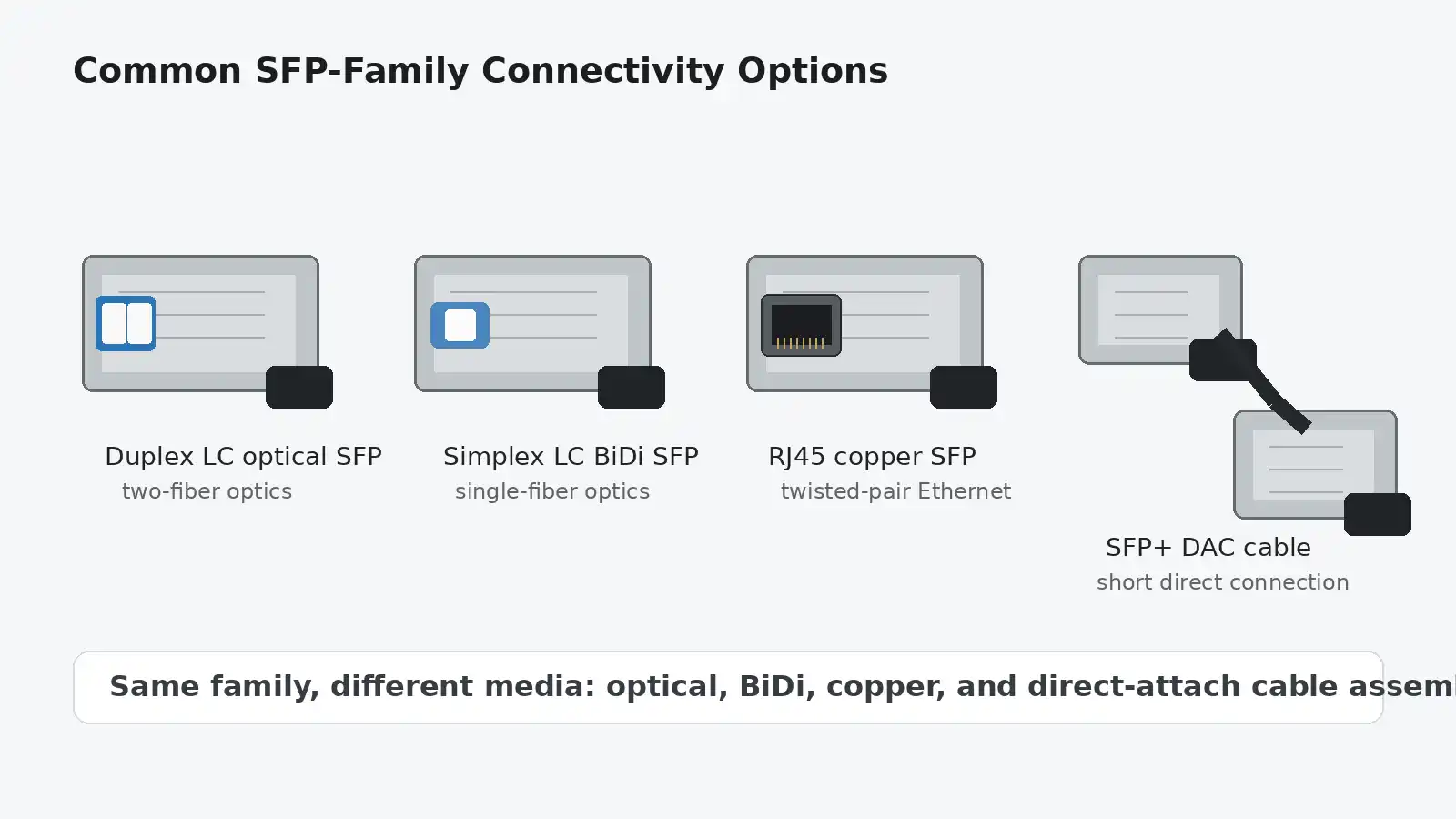
An SFP port gives the host a standardized modular interface instead of permanently tying that port to one cable medium. Depending on the host, you may install an optical transceiver, a supported copper RJ45 module, or a compatible direct-attach cable assembly.
If you are choosing hardware rather than just learning the terminology, it helps to review the available SFP transceiver options only after you know the exact port type and required link.
How Does an SFP Port Work?
The host device and transceiver divide the job between them. A simplified fiber link looks like this:
Host ASIC/PHY → host electrical interface → SFP transceiver → optical fiber → remote transceiver → remote host interface
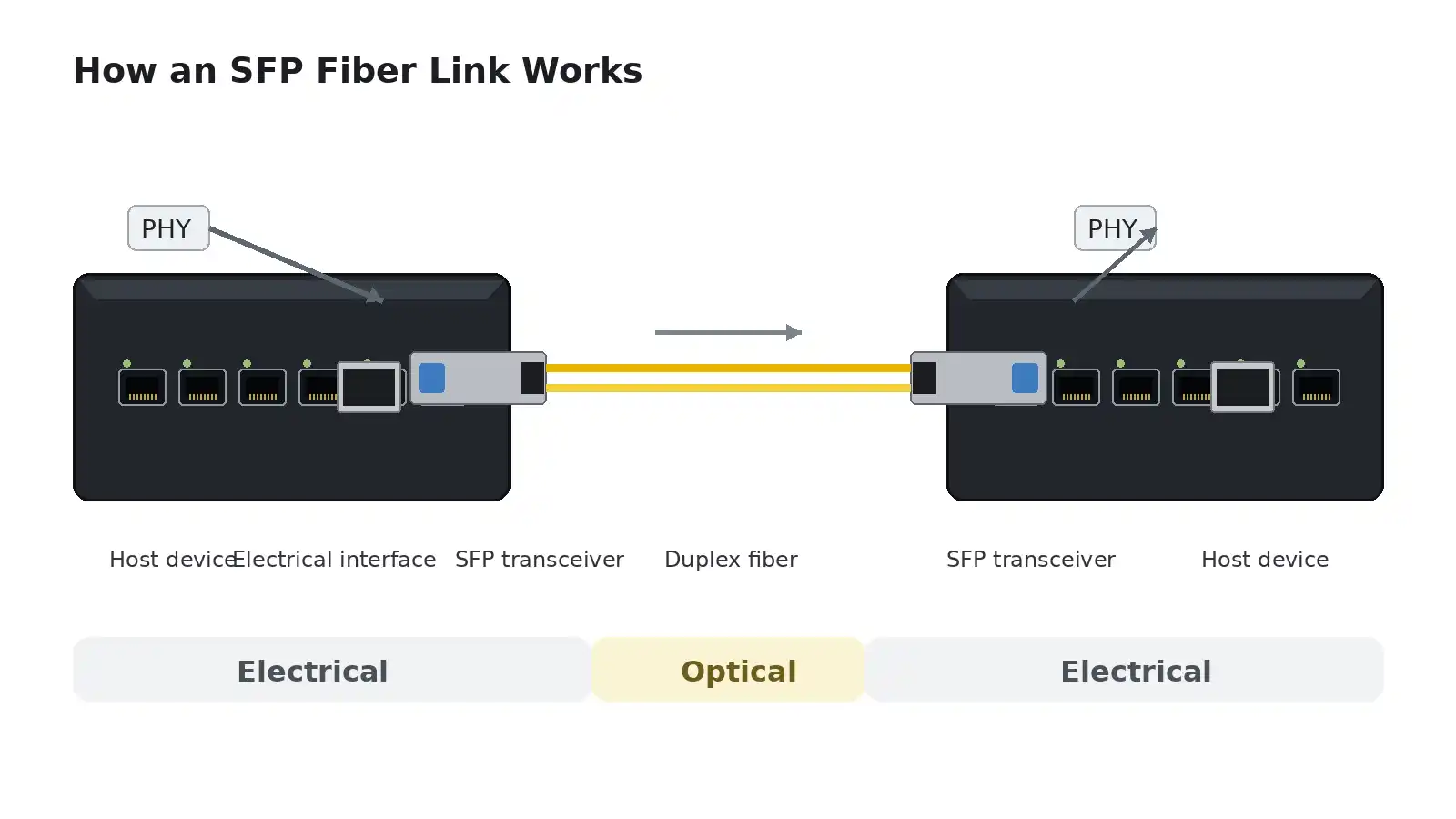
The switch or router processes Ethernet traffic internally. The SFP transceiver then provides the physical interface required by the external link. With an optical module, that means transmitting and receiving light at the specified wavelength and power levels. With a supported copper module, the module provides the appropriate electrical copper interface.
This is why "SFP" does not describe one fiber type, one wavelength, or one speed. The host port defines what modular interfaces it can support, while the installed module defines much of the external physical connection.
Ethernet itself is standardized by IEEE 802.3. The IEEE 802.3 Ethernet standard covers Ethernet MAC and physical-layer families; individual optical names such as 1000BASE-SX, 10GBASE-SR, and related variants describe specific physical-layer implementations rather than the SFP form factor itself.
SFP Port vs. SFP Module
| Component | What It Is | Example |
|---|---|---|
| SFP port | The modular socket built into the host device | An SFP slot on a network switch |
| SFP module | A removable transceiver inserted into the port | A 1000BASE-SX optical transceiver |
| Cable or fiber | The medium carrying the signal between endpoints | Duplex LC fiber, twisted-pair copper, or a DAC assembly |
What Can You Plug Into an SFP Port?
What a modular port accepts depends on the exact host. Start with the device documentation rather than the shape of the cage.
Fiber-Optic Transceivers
Optical transceivers are the most familiar use of SFP-family ports. The module determines important link parameters such as Ethernet standard, wavelength, fiber type, connector, transmit power, receiver sensitivity, and rated reach.
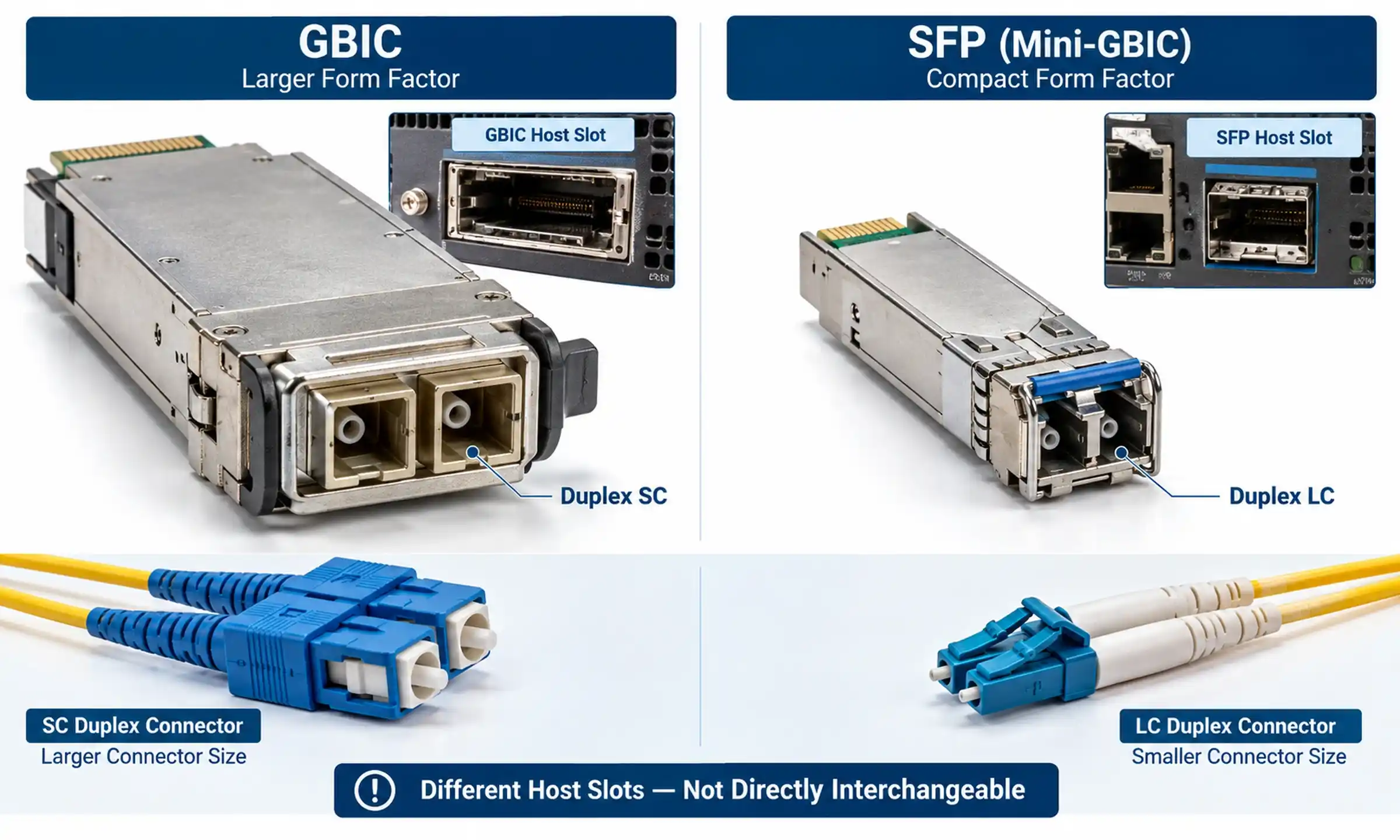
For most duplex SFP and SFP+ optics, LC connectors are common. Before selecting patch cords, confirm the connector at both ends and the installed fiber type. If you need a refresher, see this guide to fiber-optic connector types.
You must also distinguish single-mode vs. multimode fiber. A 10GBASE-SR module designed for multimode fiber is not a substitute for a 10GBASE-LR module intended for single-mode fiber just because both use an LC connector.
Copper RJ45 SFP Modules
Some hosts support RJ45 copper SFP transceivers. These can be useful when a device has an available SFP slot but the required connection uses twisted-pair Ethernet cabling.
Copper SFP compatibility deserves extra attention because power consumption, thermals, supported rate, autonegotiation behavior, and host firmware can vary by platform. If a native RJ45 port is available for the same job, it is often the simpler choice.
DAC and AOC Cables
Direct Attach Copper (DAC) and Active Optical Cable (AOC) assemblies have integrated pluggable ends. They are especially common on SFP+, SFP28, and QSFP-class high-speed ports.
DAC is widely used for short equipment-to-equipment links such as switch-to-server or switch-to-switch connections within a rack. AOC provides an integrated optical path and can be useful when a lighter optical cable or greater electrical isolation is preferred.
These cable assemblies still have to be supported by the host ports at both ends. "No separate transceiver required" does not mean "universally compatible."
Common SFP Transceiver Types
When people shop for an SFP, they often encounter names such as SX, LX, SR, LR, ER, or BiDi rather than simply "fiber SFP." These names describe Ethernet physical-layer options and are more useful for real-world selection.
| Common Type | Typical Form Factor | Ethernet Rate | Typical Medium | Typical Use |
|---|---|---|---|---|
| 1000BASE-SX | SFP | 1GbE | 850 nm multimode fiber | Short multimode-fiber links inside buildings and data rooms |
| 1000BASE-LX / LX10 | SFP | 1GbE | 1310 nm, commonly single-mode fiber | Kilometer-scale 1G fiber links; exact reach depends on the implementation |
| 1000BASE-BX / BiDi | SFP | 1GbE | Single-mode fiber, one strand | Bidirectional links using complementary transmit/receive wavelengths |
| 1000BASE-T | SFP | 1GbE | Twisted-pair copper with RJ45 | Copper Ethernet from a supported SFP host |
| 10GBASE-SR | SFP+ | 10GbE | 850 nm multimode fiber | Short 10G links; commonly up to 300 m on OM3 or 400 m on OM4 with supported optics |
| 10GBASE-LR | SFP+ | 10GbE | 1310 nm single-mode fiber | 10G links up to 10 km with compliant equipment |
| 10GBASE-ER | SFP+ | 10GbE | 1550 nm single-mode fiber | Longer 10G links, commonly up to 40 km; short-link power limits may need attention |
| 25GBASE-SR | SFP28 | 25GbE | 850 nm multimode fiber | Short 25G server and data-center links |
For a focused example of the 1G short-wavelength option, see the SX SFP transceiver guide.
Do not treat the reach column in any summary table as a purchasing guarantee. The actual design must follow the exact transceiver data sheet, fiber grade, connector loss, splice loss, and receiver power limits.
SFP vs. SFP+ vs. SFP28 vs. QSFP
| Form Factor | Common Ethernet Use | Typical Context |
|---|---|---|
| SFP | 1 Gigabit Ethernet | Access switching, legacy uplinks, general 1G fiber links |
| SFP+ | 10 Gigabit Ethernet | Server links, switch uplinks, enterprise and data-center networks |
| SFP28 | 25 Gigabit Ethernet | Higher-speed server access and leaf-spine networking |
| QSFP+ | 40 Gigabit Ethernet | Multi-lane high-density connections |
| QSFP28 | 100 Gigabit Ethernet | High-density data-center and backbone links |
SFP, SFP+, and SFP28 are closely related mechanically, but they are not interchangeable by default. SFP+ electrical and module/cage details are covered by specifications such as SFF-8431 and SFF-8432, while SFP28 is represented by SFF-8402 in the SNIA SFF specification library.
Some SFP+ host ports can operate with selected 1G SFP modules, but support depends on the device, software release, port mode, and module. For a deeper site-specific explanation, see SFP vs. SFP+ speed and compatibility. For higher-density interfaces, the separate QSFP form-factor guide explains why QSFP should not simply be treated as "the next SFP."
SFP Port vs. RJ45 Ethernet Port
| Feature | SFP Port | RJ45 Port |
|---|---|---|
| Interface | Modular; requires a supported transceiver or cable assembly | Fixed copper connector |
| Media | Fiber, supported copper modules, DAC/AOC depending on port type | Twisted-pair copper |
| Fiber support | Yes, with suitable optics | No direct fiber connection |
| Deployment flexibility | High | Lower, but simple for ordinary copper Ethernet |
| PoE | Not provided over normal optical SFP links | Available on PoE-capable switch ports |
| Common use | Uplinks, fiber runs, inter-switch links, specialized media | PCs, access points, cameras, phones, office endpoints |
Asking whether "SFP is faster than RJ45" mixes two different concepts. SFP describes a pluggable interface format; RJ45 describes a connector commonly used for twisted-pair Ethernet. A 1G SFP link and a 1G RJ45 link can both operate at Gigabit Ethernet speed. The advantage of the SFP port is modularity, not automatic speed.
How to Choose the Right SFP Module
A reliable selection process starts with the host device and works outward. Buying an optic first and checking the switch later is one of the easiest ways to create a compatibility problem.
1. Identify the Exact Host and Port
Record the switch, router, firewall, or NIC model and the exact port type. Confirm whether the cage is SFP, SFP+, SFP28, or another form factor, and check which rates that specific port supports.
For vendor equipment, use the vendor's transceiver support documentation. Cisco, for example, publishes transceiver compatibility information rather than treating every physically compatible module as supported on every platform.
2. Match the Ethernet Rate at Both Ends
Both endpoints must support a common link rate. A 10G optic in one device does not turn a 1G-only remote port into a 10G link.
If you plan to use a lower-speed SFP in a higher-speed SFP+ or SFP28 cage, confirm that the host supports the desired lower rate and that the port can be configured appropriately.
3. Choose the Medium
Choose fiber, a supported copper module, DAC, or AOC based on the installed cabling, distance, environment, and host support.
- Use multimode optics when the link design and installed multimode fiber match the selected standard.
- Use single-mode optics for standards designed for single-mode fiber and longer-reach applications.
- Use DAC for short direct high-speed connections when both hosts support the cable.
- Use a copper RJ45 SFP only when the host explicitly supports that module type and rate.
4. Match the Optical System, Not Just the Connector
For fiber, verify wavelength, fiber type, connector, duplex or BiDi design, and the module at the remote end. Two LC transceivers are not necessarily interoperable.
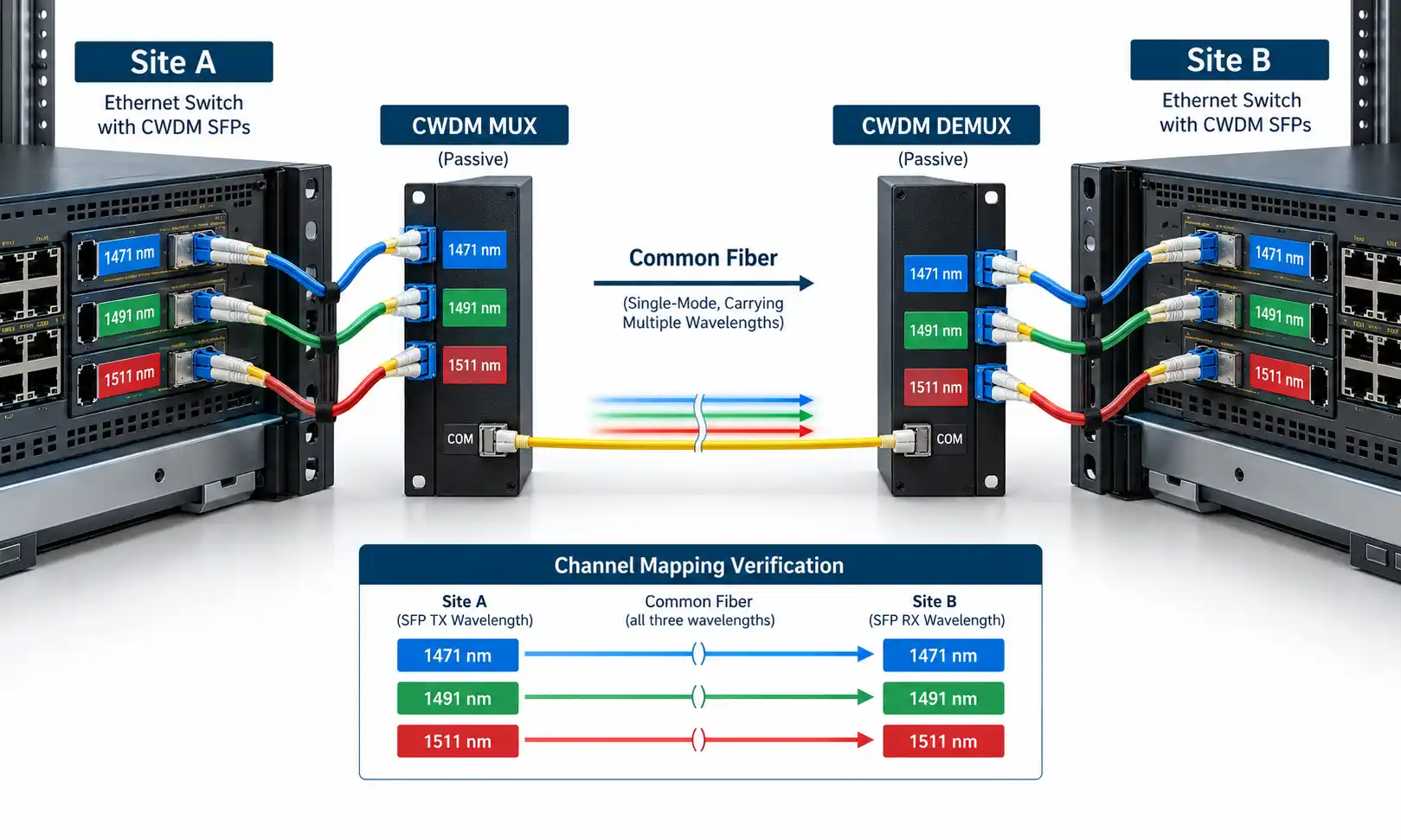
BiDi is a good example. A single-fiber link uses different transmit and receive wavelengths in opposite directions, so the modules are normally installed as a complementary pair. Matching only "1G BiDi" or "10G BiDi" is not enough; the Tx wavelength on one end must correspond to the Rx wavelength on the other.
5. Check Reach and Optical Power
Do not automatically choose the longest-reach optic. Optical links have both minimum receive sensitivity and maximum receive power limits. Excessive loss can keep a link down, while an overly strong signal can also be a problem on some long-reach optics used over unusually short fiber.
A useful documented example comes from Cisco's SFP and SFP+ installation notes: Cisco specifies a 5 dB, 1550 nm fixed-loss attenuator for its SFP-10G-ER on links shorter than 20 km, and its 10GBASE SFP+ data sheet also documents receiver overload limits. That is a concrete reason to design from the optical specifications instead of assuming that "more reach" is always safer.
6. Verify the Complete Link Before Ordering
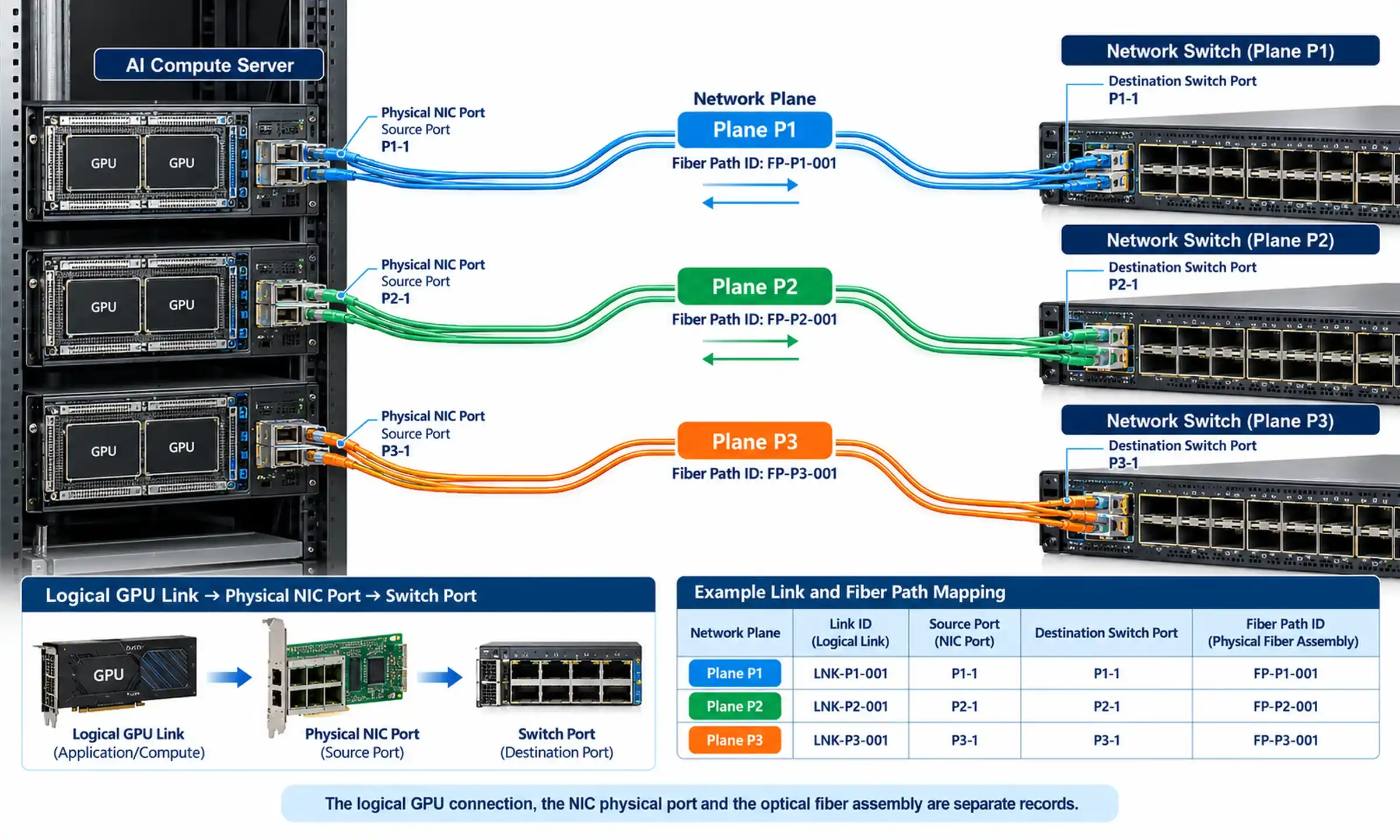
Write the path down as a chain:
Device A port → Module A → Fiber/cable → Module B → Device B port
Then verify every interface in that chain. This takes a few minutes and prevents many avoidable purchasing mistakes.
How to Install and Set Up an SFP Port
- Verify compatibility first. Confirm the host, module, speed, medium, and remote endpoint before inserting the transceiver.
- Insert the module correctly. Follow the equipment manufacturer's procedure and do not force the module into the cage.
- Connect clean, correct cabling. Keep dust caps on optical interfaces until the connection is ready. Cisco's fiber inspection and cleaning procedure recommends inspecting and cleaning fiber connections before mating.
- Check the interface configuration. Depending on the platform, verify administrative state, speed, autonegotiation behavior, VLAN settings, and any link aggregation configuration.
- Confirm link status and diagnostics. Use the device management interface or CLI rather than relying only on the front-panel LED.
What Is DOM/DDM on an SFP?
Many optical transceivers expose digital diagnostic information commonly called DOM or DDM. Depending on the module and host, readings can include receive optical power, transmit optical power, module temperature, laser bias current, and supply voltage.
The management interface is standardized through documents such as SNIA SFF-8472, which defines a management interface for monitoring and control of SFP+ optical transceivers and similar modules.
DOM does not replace the transceiver data sheet. A receive-power value is useful only when you compare it with the supported thresholds for that exact optic. For additional background, see the site's DDM and DOM overview.
How to Troubleshoot an SFP Port That Will Not Link
A good troubleshooting sequence changes one variable at a time and works from the host outward. Swapping the optic, fiber, port, and configuration simultaneously may bring the link back, but it tells you very little about the actual cause.

| Symptom | What to Check First |
|---|---|
| Module not detected | Module seating, host support, vendor compatibility, device logs |
| Link stays down | Administrative state, common speed, remote endpoint, module type |
| Optical link down | Fiber type, wavelength, Tx/Rx polarity, connector cleanliness |
| BiDi link down | Complementary Tx/Rx wavelength pair and correct single-fiber path |
| Module rejected | Vendor coding, supported transceiver list, software release |
| Link flaps or errors rise | Fiber condition, optical levels, temperature, damaged cable, interface counters |
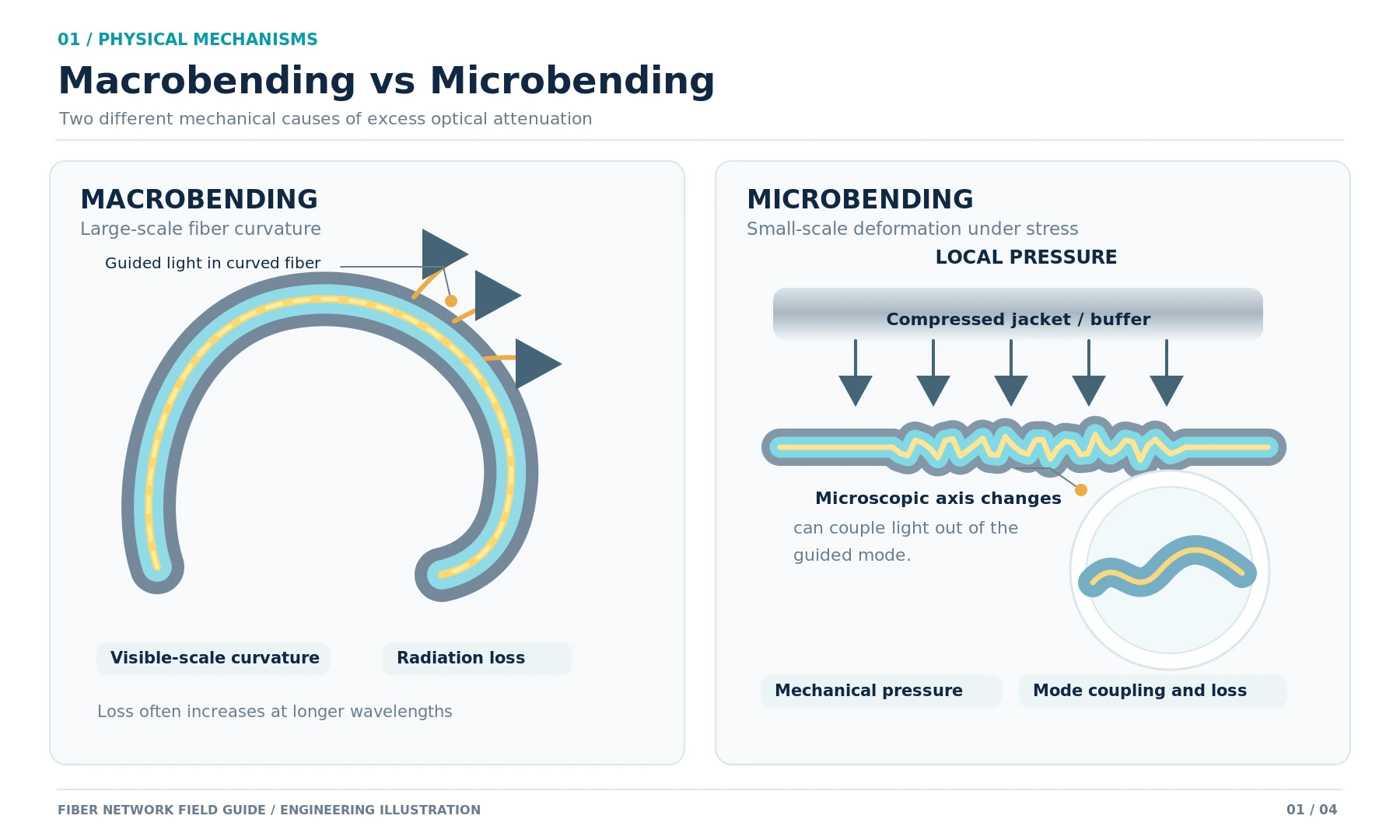
| Receive power too low | Dirty connector, excessive loss, bad splice, wrong fiber, damaged path, transmitter problem |
| Receive power too high | Receiver overload limit and whether the design requires attenuation |
Check the Common Link Rate
Start with speed because a rate mismatch can make an otherwise correct physical installation look completely dead. Confirm the host ports and transceivers at both ends support a common operating rate.
Check Wavelength and Fiber Type
"Both ends are fiber" is not a compatibility test. Confirm the exact optical standard, wavelength, and required fiber type at both endpoints.
Check Duplex Polarity
On a duplex optical link, the transmitter at one end must reach the receiver at the other. If the link remains down after the correct modules are installed, polarity is one of the fastest physical checks to make.
Inspect and Clean the Connectors
Contamination on an optical end face can add loss or create an unstable link. Inspect and clean using the appropriate fiber procedure instead of repeatedly unplugging and reconnecting a dirty connector.
Read Logs and DOM Data
If the cabling appears correct, check the host logs for an unsupported-module message, optical alarm, disabled interface, or other transceiver warning. Then compare available DOM values with the limits in the module data sheet.
A practical diagnostic pattern is useful here: if the host detects the module and transmit power looks normal but receive power is abnormally low, the investigation should move toward the remote transmitter and the optical path between the two ends. If receive power is unexpectedly high, check the module's maximum receiver input and the link design before inserting additional equipment at random.
Common SFP Port Mistakes
Confusing the Port with the Module
The port is the host socket; the module is the removable transceiver. Keeping those two components separate makes specification checking much easier.
Buying by Shape Alone
SFP-family modules can look nearly identical. Mechanical fit does not tell you whether the host supports the module's line rate, electrical interface, coding, or power requirements.
Ignoring the Remote End
An optical link is a two-ended system. Always specify both endpoint ports and modules, not just the optic you are holding in your hand.
Choosing the Longest-Reach Optic by Default
Long-reach optics are not automatically better for short links. Receiver overload limits and attenuation requirements can matter, so use the optic that matches the actual design.
Assuming More Bandwidth Means Lower Latency
A 10GbE interface carries more traffic than a 1GbE interface, but interface bandwidth and end-to-end latency are different measurements. Upgrading the link rate does not by itself guarantee a noticeably lower ping time.
Frequently Asked Questions About SFP Ports
What does SFP stand for?
SFP stands for Small Form-factor Pluggable. It describes a compact modular transceiver interface used in networking and other communications equipment.
Is an SFP port only for fiber?
No. Fiber optics are a common use, but some hosts also support copper RJ45 transceivers or compatible cable assemblies. The exact options depend on the port and device.
Can I plug an Ethernet cable directly into an SFP port?
A normal RJ45 plug does not connect directly to an empty SFP cage. You need a supported RJ45 SFP transceiver if the host allows copper operation through that port.
Can I use an SFP module in an SFP+ port?
Sometimes. Some SFP+ hosts support selected 1G SFP modules, but it is a platform-specific capability. Check the exact device, software, port mode, and supported transceiver list rather than assuming backward compatibility.
What is the difference between SFP and SFP+?
SFP is commonly used for 1GbE, while SFP+ is commonly used for 10GbE. The modules are similar in size, but the electrical interface and supported host rates differ.
Is an SFP port faster than an RJ45 port?
Not inherently. The link speed depends on the Ethernet interfaces implemented by the ports and connected devices. SFP's main advantage is modularity and media flexibility.
Does an SFP port require configuration?
Not always. Some ports automatically recognize a supported module and establish the link. Others require a specific speed, administrative state, VLAN, autonegotiation setting, or other configuration.
Can SFP modules be hot-swapped?
SFP-family modules are designed to be removable, and many networking platforms support insertion or removal while the device is powered. Follow the host vendor's hardware procedure because operational requirements can vary by platform.
Final Thoughts
An SFP port is best understood as a flexible modular host interface, not as a particular fiber connector or a guaranteed network speed. The port, transceiver, cable or fiber, remote endpoint, and device software all have to agree on how the link will operate.
The most reliable buying question is therefore not "Which SFP should I buy?" Start with: What ports do I have at both ends, what rate and distance do I need, and what physical medium is already available?
Once those facts are known, choosing a compatible SFP solution becomes much more straightforward.