An orange fiber optic cable usually belongs to an older multimode cabling system. It may contain 62.5/125 µm OM1 fiber or 50/125 µm OM2 fiber, so the jacket color does not identify the exact grade.
The most reliable starting point is the printed cable legend. Manufacturer records, product numbers, connector colors, inspection results, and link tests can provide additional evidence, but they do not all carry the same weight.
This guide explains how to distinguish OM1 from OM2, what common clues can and cannot prove, which test tools are useful, and when an existing orange link should be reused or replaced. Replacement assemblies are available within FOCC's fiber cable assembly range.

Quick Answer: Is an Orange Fiber Cable OM1 or OM2?
An orange premises cable can be either:
- OM1 multimode fiber: nominally 62.5/125 µm
- OM2 multimode fiber: nominally 50/125 µm
Look for one of the following markings on the jacket:
- OM1 or 62.5/125
- OM2 or 50/125
The Fiber Optic Association's summary of fiber optic cable color codes lists orange as the conventional premises-cable color for both OM1 and OM2. It also notes that manufacturers may use other jacket colors when the printed legend identifies the fiber classification.
Use color to narrow the possibilities. Use the printed specification to identify the fiber.
For more background on how color is used during installation and maintenance, see FOCC's guide to fiber color codes in data centers.
Why Are OM1 and OM2 Both Commonly Orange?
Color coding helps technicians separate broad fiber families during installation, patching, maintenance, and fault investigation. It was never intended to replace the full cable specification.
Under common TIA-598 conventions summarized by FOA:
- OM1 62.5/125 µm premises cable is commonly orange.
- OM2 50/125 µm premises cable is also commonly orange.
- Laser-optimized OM3 and OM4 are commonly aqua.
- OM5 is commonly lime green.
- OS1 and OS2 single-mode premises cable is commonly yellow.
These are identification conventions rather than universal visual guarantees. Outdoor cables are often black for environmental protection, hybrid cables may contain several fiber types, and custom or legacy assemblies may use colors that differ from current expectations.
OM1 vs OM2 at a Glance
| Property | OM1 | OM2 |
|---|---|---|
| Core and cladding | 62.5/125 µm | 50/125 µm |
| Common premises jacket | Orange | Orange |
| Common connector-color convention | Beige | Black |
| Reference modal bandwidth at 850 nm | Commonly identified as 200 MHz·km in application tables | 500 MHz·km |
| Typical status today | Legacy cabling and replacement support | Legacy cabling and replacement support |
| Primary identification marking | OM1 or 62.5/125 | OM2 or 50/125 |
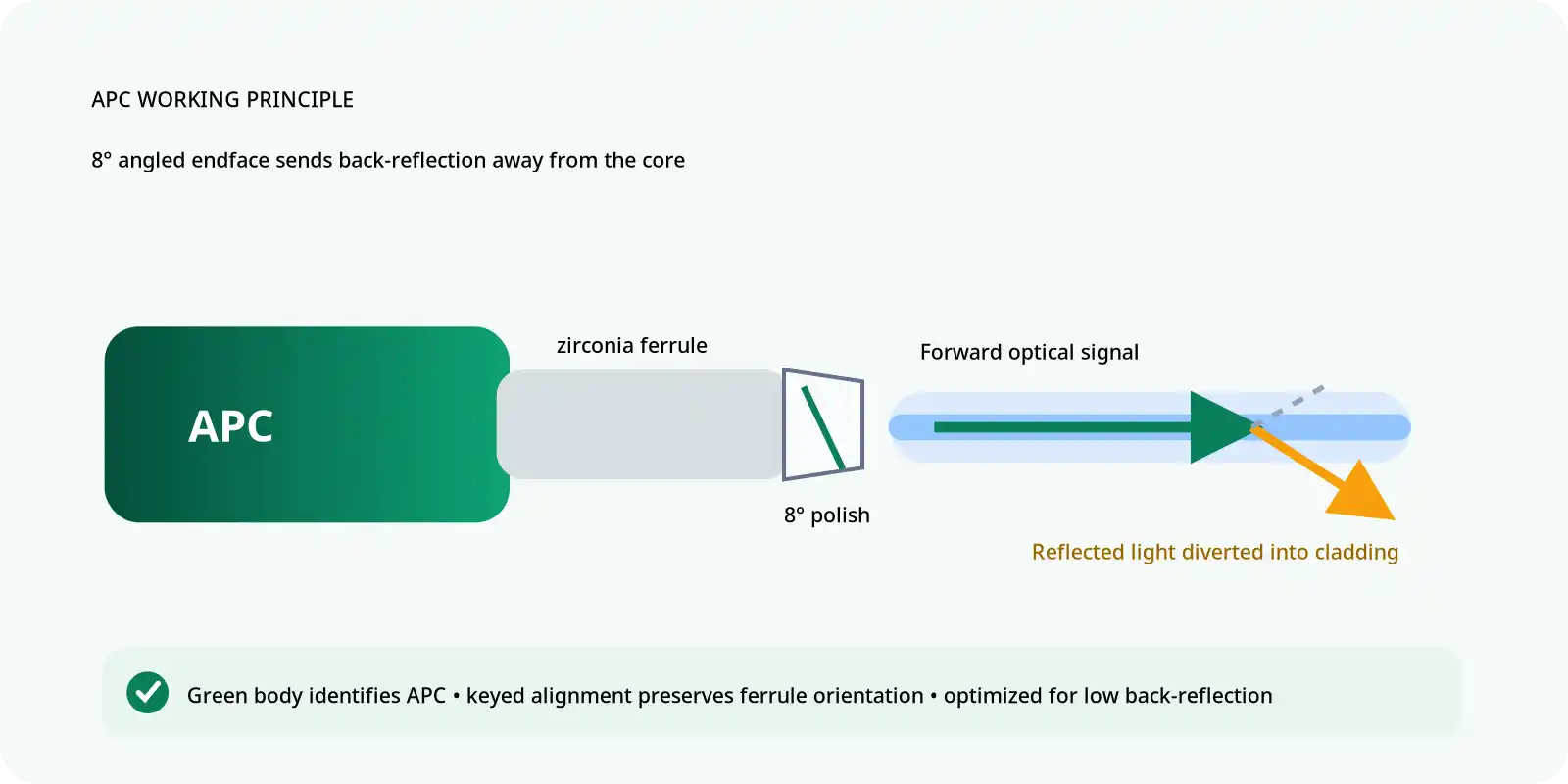
FOA's TIA-568 summary associates beige connector bodies or boots with OM1, black with OM2, aqua with OM3 and OM4, blue with single-mode UPC, and green with single-mode APC. These colors are useful supporting clues, but replacement boots, metal connectors, mixed-vendor components, and custom assemblies can break the convention.
FOCC provides separate product families for OM1 62.5/125 multimode patch cords and OM2 50/125 multimode patch cords. The fiber grade should be matched to the installed channel rather than selected from orange jacket color alone.
How to Identify an Orange Fiber Optic Cable
1. Read the Complete Jacket Legend
The jacket print is normally the strongest non-destructive evidence available in the field. Inspect more than one visible section because markings may be faded, hidden behind routing hardware, or separated by long printing intervals.
Record the following details when present:
- OM1, OM2, 62.5/125, or 50/125
- Manufacturer and product number
- Fiber count
- Production lot or date code
- Sequential length marking
- OFNR, OFNP, LSZH, indoor, outdoor, or another jacket designation
Examples of useful legends include:
2F OM1 62.5/125 OFNR
2F OM2 50/125 LSZH
Photograph the complete print and attach it to the cable-management record before moving, disconnecting, or replacing the assembly.
2. Check Product and Installation Records
If the jacket is unreadable, look for the original data sheet, purchase order, packaging label, patch-panel schedule, as-built drawing, link certification report, or manufacturer part number.
A later replacement patch cord may not match the permanent backbone. Record each section independently instead of assuming that every orange component in the route contains the same glass.
3. Treat Connector Color as Supporting Evidence
Connector bodies, adapters, and boots can help narrow the possibilities, but one colored component cannot classify the entire link. FOCC's fiber connector visual identification guide provides additional context for distinguishing common interfaces.
4. Inspect the End Face Safely
A connector inspection microscope or video probe is primarily used to find contamination, scratches, chips, and other end-face defects. It should not be treated as routine proof that a cable is OM1 or OM2 unless the inspection method is specifically capable of calibrated dimensional measurement.
FOA warns that optical microscopes can focus light from an active fiber into the eye. Before inspection, verify with a power meter that no optical signal is present.
A professional handheld fiber end-face detector can document connector cleanliness and damage. Fluke Networks also recommends an inspect-clean-inspect process and objective pass/fail criteria instead of relying on subjective visual judgment.
5. Test the Link for Its Intended Application
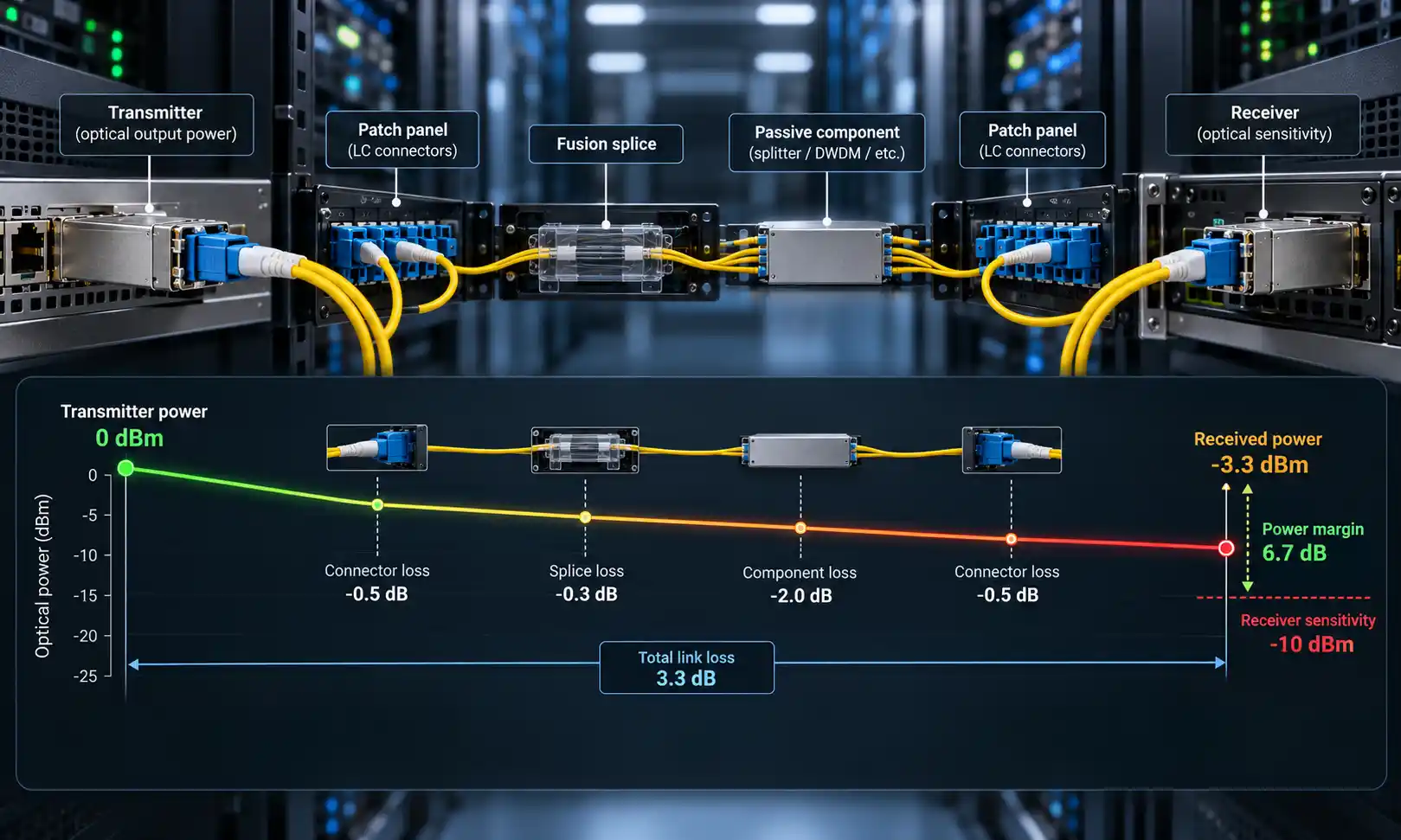
Testing answers whether the installed channel can support a defined application with acceptable loss and margin. It does not necessarily reveal the original commercial grade of the glass.
If all identification evidence is missing, record the route as unknown multimode fiber rather than assigning OM1 or OM2 from a successful link light or traffic test.
Which Test Tool Answers Which Question?

| Tool or Method | What It Can Confirm | What It Cannot Confirm Alone |
|---|---|---|
| Jacket and document inspection | Printed grade, core size, manufacturer, product number, jacket rating | Present link condition or application margin |
| Visual fault locator | Continuity, gross breaks, incorrect routing, and some severe bends | OM grade, insertion-loss budget, or Ethernet certification |
| Video microscope or end-face detector | Contamination, scratches, chips, and connector condition | Guaranteed OM1 or OM2 classification |
| Power meter or optical loss test set | Optical power and end-to-end insertion loss | Original fiber product designation |
| OTDR | Length, events, splices, connections, bends, and fault location | Definitive OM1 or OM2 identity |
| Traffic or application test | Behavior with the selected transceivers and equipment | Standards certification or future application margin |
A visual fault locator is useful for continuity and route tracing. An appropriate multimode optical attenuation tester can support loss measurements, while an OTDR can locate events along the route. Fluke Networks describes an OTDR as a tool for analyzing connections, bends, splices, and other events along the cable.
FOCC's guide to testing fiber optic cables with an OTDR provides additional test-planning context.
Evidence That Should Not Be Used as Final Proof
| Observed Clue | Why It Is Incomplete | Better Evidence |
|---|---|---|
| Orange jacket | Both OM1 and OM2 commonly use orange | Jacket legend or product data sheet |
| One beige or black boot | Boots and connectors may have been replaced | Check every route section and its documentation |
| Link-up indicator | Shows only that the equipment established a connection | Application test, loss measurement, and error monitoring |
| Current 1G operation | Several multimode grades can carry the same application | Printed grade and application-specific records |
| Cable outside diameter | Diameter depends on jacket, strength members, armor, and construction | Core/cladding marking and manufacturer specification |
| Installation year | Old inventory may be installed later, and newer cords may be added to old links | Part numbers, as-built records, and section-by-section inspection |
Illustrative Field Scenario
Consider an equipment room with an orange backbone cable, beige SC adapters, and aqua LC patch cords added during a later switch replacement. The orange backbone suggests legacy multimode fiber, but the aqua cords do not prove that the permanent cable is OM3.
A sound investigation would:
- Photograph the legend on the permanent orange cable.
- Identify the aqua cords separately by product number.
- Inspect and clean every mated end face.
- Check whether the route contains undocumented transitions.
- Measure the complete channel loss at the required wavelength.
- Compare the result with the selected transceiver specification.
- Label any unconfirmed section as unknown multimode fiber.
This is an illustrative method, not a report of a completed FOCC customer project.
Can OM1 and OM2 Fiber Be Mixed?
Fiber assemblies terminated with the same connector interface can often be physically mated even when one contains OM1 and the other contains OM2. Physical connection does not mean the combination is a controlled or preferred channel design.
OM1 has a 62.5 µm core, while OM2 has a 50 µm core. A transition between the two changes the launch and receiving conditions and can introduce additional coupling loss, particularly from the larger core toward the smaller core. FOA also notes that mismatched legacy and 50 µm cabling can cause substantial losses and operating problems.
Possible consequences include:
- Reduced optical margin
- Direction-dependent results
- Shorter usable distance
- Intermittent errors
- Unexpected failure after a transceiver change
- More difficult troubleshooting
Use one documented fiber grade throughout the defined channel wherever possible. When a transition cannot be removed, record its location and validate the complete route against the required application.
What Ethernet Speeds Can Orange OM1 and OM2 Support?
Supported distance depends on modal bandwidth, transceiver implementation, wavelength, channel loss, connections, and equipment documentation. The values below are representative application references, not automatic guarantees for an unidentified cable.
| Application | OM1 Reference | OM2 Reference |
|---|---|---|
| 1000BASE-SX | Approximately 220–275 m, depending on fiber bandwidth and module documentation | Up to approximately 550 m |
| 10GBASE-SR | Approximately 33 m for 200 MHz·km OM1 | Approximately 82 m for 500 MHz·km OM2 |
Cisco's current Gigabit Ethernet SFP data sheet specifies up to 550 m on legacy 50 µm multimode fiber and up to 220 m on 62.5 µm FDDI-grade fiber for its 1000BASE-SX module.
Juniper's official 10GBASE-SR table lists 33 m for 200 MHz·km OM1 and 82 m for 500 MHz·km OM2.
FOCC offers a 1000BASE-SX 850 nm SFP and a 10GBASE-SR 850 nm SFP+. The actual cable grade, measured loss, and equipment compatibility must be confirmed before applying the maximum product reach.
Should Existing Orange Fiber Be Reused or Replaced?

| Observed Condition | Recommended Direction |
|---|---|
| Grade confirmed, route documented, link passes, and no upgrade is planned | Reuse may be reasonable |
| Grade unknown, but the route is short and passes the approved application test | Conditionally reuse with documented risk and future review |
| OM1 and OM2 sections are mixed without records | Map every transition and validate carefully; redesign where practical |
| Repeated contamination, damaged connectors, or unstable loss | Repair or replace affected sections |
| Target distance exceeds the verified application limit | Replace or redesign the channel |
| Future 25G, 40G, or 100G migration is expected | Plan an upgrade rather than extending legacy cabling |
| Difficult-to-access route with incomplete records | Consider upgrading once instead of repeatedly investigating and repairing |
For a new multimode installation, compare current OM3 assemblies and OM4 assemblies. Where longer reach and future migration are priorities, evaluate OS2 single-mode cabling with the required transceivers.
How to Handle an Unknown Multimode Link
When no marking, product record, or reliable measurement confirms the grade, avoid assigning OM1 or OM2 merely to complete an asset database.
- Label the route as Unknown MMF.
- Record the visible jacket and connector colors without treating them as proof.
- Document every accessible section and transition.
- Measure length, insertion loss, and relevant events.
- Record the test wavelength, instruments, reference method, and date.
- Approve only the application that was actually evaluated.
- Schedule replacement when the business risk exceeds the value of further investigation.
Orange Fiber Cable Procurement Checklist
"Orange LC-to-LC fiber cable" is not a complete purchase specification. A replacement or extension request should include:
- OM1 or OM2 grade
- 62.5/125 or 50/125 µm core/cladding size
- Connector type at each end
- Required end-face polish
- Simplex or duplex construction
- Length and jacket diameter
- PVC, LSZH, OFNR, OFNP, or another required rating
- Indoor, outdoor, or armored construction
- Target transceiver and Ethernet application
- Existing route grade and test result
- Required insertion-loss record
- Labeling, packaging, and traceability requirements
FAQ
Q: Does orange fiber always mean OM1?
A: No. Orange is commonly used for both OM1 and OM2 premises cables. The jacket legend should identify OM1 or 62.5/125, or OM2 or 50/125.
Q: Is OM2 always orange?
A: No. Orange is a common convention, but custom, outdoor, hybrid, legacy, and manufacturer-specific constructions may use another color with printed identification.
Q: Can an OTDR identify OM1 or OM2?
A: An OTDR can measure length and locate events, connections, splices, and faults. It should not be used as the only evidence of the original OM grade.
Q: Can OM1 and OM2 be connected together?
A: They can often be physically mated when the connector interfaces match, but the core-size transition can add loss and reduce link margin.
Q: Can orange fiber support 10 Gigabit Ethernet?
A: It may. Representative 10GBASE-SR distances are approximately 33 m on 200 MHz·km OM1 and 82 m on 500 MHz·km OM2. The installed channel still requires verification.
Q: Should old orange fiber be replaced?
A: Age alone is not sufficient reason. Replace or redesign when the grade is unknown, the route fails the required test, mixed sections are uncontrolled, maintenance risk is high, or the future application exceeds the verified capability.
Final Identification Rule
An orange jacket is a useful clue, not a complete specification. Confirm the cable in this order:
- Read the jacket legend.
- Verify the manufacturer and part number.
- Review installation and test records.
- Use connector colors only as supporting evidence.
- Inspect connector end faces safely.
- Select the correct test tool for the question being asked.
- Validate the complete link for the target application.
- Record the fiber as unknown when the evidence is insufficient.
For replacement or extension review, provide the visible cable legend, connector types, route length, intended transceiver, operating speed, jacket requirement, and available test results through the FOCC inquiry form.