OS2 is singlemode fiber, designed for long-distance transmission. OM1, OM2, OM3, OM4 and OM5 are multimode fiber types, designed for shorter, high-speed links inside buildings, campuses and data centers.
In practice, OS2 is the best choice for long-haul singlemode links and any path that must scale beyond a few hundred meters, while OM3 and OM4 are usually preferred for short-reach data center and enterprise multimode connections. OM5 targets specific wideband applications, and OM1 and OM2 are now mainly used for legacy maintenance.
This guide compares the six fiber types by core size, wavelength, modal bandwidth and supported distances at 1G, 10G, 40G and 100G, then walks through how to choose, mix and identify them in real networks.
OS Singlemode vs OM Multimode
OS fiber (Optical Singlemode) has a small 9/125 µm core and carries one primary light path at 1310 nm or 1550 nm. The narrow core almost eliminates modal dispersion, which is why singlemode fiber dominates telecom backbones, metro networks and data center interconnects.
OM fiber (Optical Multimode) has a larger core - 62.5/125 µm for OM1, 50/125 µm for OM2 through OM5 - and carries many light paths simultaneously at 850 nm or 1300 nm. The wider core allows cheaper LED or VCSEL transceivers, which makes multimode fiber attractive for short links inside a building or data center hall.
A practical rule used by most cabling engineers:
- Use OS2 singlemode patch cords when distance, future singlemode optics, or building-to-building reach matter.
- Use OM3 or OM4 for most modern short-reach 10G, 25G, 40G and 100G links inside a data center.
- Use OM5 only when the transceiver design specifically benefits from wideband or SWDM optics.
- Keep OM1 and OM2 for maintaining existing legacy infrastructure rather than for new high-speed deployments.
-

OS2 vs OM1, OM2, OM3, OM4, OM5 Comparison Table
The table below summarizes the core differences. Distances assume standards-based transceivers such as 1000BASE-SX/LX, 10GBASE-SR/LR, 40GBASE-SR4 and 100GBASE-SR4 as defined in IEEE 802.3; actual reach depends on the optics, link loss and connectors used.
| Fiber Type | Mode | Core / Cladding | Wavelength | Modal Bandwidth (MHz·km) | Jacket Color | Best Fit |
|---|---|---|---|---|---|---|
| OS2 | Singlemode | 9 / 125 µm | 1310 / 1550 nm | N/A | Yellow | Long-haul, campus backbone, DCI |
| OM1 | Multimode | 62.5 / 125 µm | 850 / 1300 nm | 200 @ 850 nm | Orange | Legacy 1G and below |
| OM2 | Multimode | 50 / 125 µm | 850 / 1300 nm | 500 @ 850 nm | Orange | Legacy short 1G–10G |
| OM3 | Laser-optimized MM | 50 / 125 µm | 850 nm (VCSEL) | 2000 @ 850 nm | Aqua | Cost-effective 10G–40G data center |
| OM4 | Laser-optimized MM | 50 / 125 µm | 850 nm (VCSEL) | 4700 @ 850 nm | Aqua / Violet | Modern 10G–100G short reach |
| OM5 | Wideband MM | 50 / 125 µm | 850–953 nm | 4700 @ 850 nm, 2470 @ 953 nm | Lime green | SWDM and wideband multimode |

OS2, OM3, OM4 and OM5 Distance by Speed
This is the question most engineers really want answered: how far will each fiber actually carry a given Ethernet speed? The numbers below follow IEEE 802.3 Ethernet standards and the TIA-492 multimode fiber categories.
| Standard | OM1 | OM2 | OM3 | OM4 | OM5 | OS2 |
|---|---|---|---|---|---|---|
| 1000BASE-SX (1G) | 275 m | 550 m | 550 m | 550 m | 550 m | - |
| 1000BASE-LX (1G) | 550 m | 550 m | 550 m | 550 m | 550 m | 5 km |
| 10GBASE-SR (10G) | 33 m | 82 m | 300 m | 400 m | 400 m | - |
| 10GBASE-LR (10G) | - | - | - | - | - | 10 km |
| 40GBASE-SR4 (40G) | - | - | 100 m | 150 m | 150 m | - |
| 40GBASE-LR4 (40G) | - | - | - | - | - | 10 km |
| 100GBASE-SR4 (100G) | - | - | 70 m | 100 m | 100 m | - |
| 100GBASE-SWDM4 (100G) | - | - | 75 m | 100 m | 150 m | - |
| 100GBASE-LR4 (100G) | - | - | - | - | - | 10 km |
Two patterns stand out. First, OM4 buys you 30–50% more reach than OM3 at 10G and 100G, and that headroom is usually worth the small price difference for any cable you cannot easily replace later. Second, OS2 is the only fiber in this list that handles kilometer-scale links without active regeneration, which is why it dominates campus backbones and data center interconnect.

What Is OS2 Fiber?
OS2 is a low-water-peak singlemode fiber (ITU-T G.652.D) optimized for long-distance and high-performance transmission across the full 1260–1625 nm range. Because the 9 µm core supports essentially one propagation mode, modal dispersion is removed and chromatic dispersion becomes the limiting factor - and that can be compensated electronically or with dispersion-shifted fiber.
OS2 is the right call for telecom networks, carrier links, metro rings, long campus backbones and data center interconnects. If your design needs to cross a road, a parking lot, a property line, or to reach across a multi-building campus, OS2 is almost always the safer infrastructure choice. New singlemode fiber is also a small fraction of the labor and conduit cost, so over-specifying it rarely hurts.
OS2 is not always the cheapest choice for short links, however. For a 30 m server-to-switch hop inside a single rack row, VCSEL-based multimode optics on OM3 or OM4 are typically less expensive than 1310 nm singlemode transceivers, and the difference adds up quickly across hundreds of ports.
What Are OM1, OM2, OM3, OM4 and OM5 Fiber?
All five OM grades are multimode, but they differ in core size, modal bandwidth and the optics they were designed to work with. The gap between OM1/OM2 (LED-era) and OM3/OM4/OM5 (laser-optimized) is the most important one to understand.
OM1 (62.5/125 µm)
OM1 is the original 62.5 µm multimode fiber that ran most 1990s and early-2000s enterprise LANs. It still supports 1 Gigabit Ethernet over 275 m on 1000BASE-SX, but at 10G it only reaches 33 m - too short for most real network paths. If you find OM1 in an older office building, it is usually safer to budget for new OM4 than to push 10G or higher over the existing plant. You can still source OM1 62.5/125 patch cords for legacy port replacement.
OM2 (50/125 µm)
OM2 dropped the core to 50 µm and roughly doubled modal bandwidth versus OM1, but it predates laser optimization. It handles 10GBASE-SR to 82 m, which is enough for many in-rack and intra-row links, but it is not the right fiber to install in a new build. OM2 patch cords remain useful when you need to interoperate cleanly with an installed OM2 backbone.
OM3 (Laser-optimized 50/125 µm)
OM3 was the first multimode fiber engineered for 850 nm VCSEL transceivers, with 2000 MHz·km modal bandwidth. It reaches 300 m at 10G, 100 m at 40GBASE-SR4 and 70 m at 100GBASE-SR4. For short data center rows and equipment-room patching where 10G is the long-term target, OM3 patch cords are usually the most cost-effective option.
OM4 (Laser-optimized 50/125 µm)
OM4 keeps the same 50/125 geometry and connector compatibility as OM3 but more than doubles modal bandwidth to 4700 MHz·km. The practical result is 400 m at 10G, 150 m at 40G-SR4 and 100 m at 100G-SR4. For new short-reach builds, the cost difference between OM3 and OM4 patch cords is small compared with the labor of pulling cable, so OM4 has become the default for most modern data center cabling.
OM5 (Wideband multimode)
OM5 was designed for Short Wavelength Division Multiplexing (SWDM), which carries four wavelengths from 850 nm to about 953 nm over a single multimode pair. With SWDM transceivers, OM5 reaches further than OM4 - 150 m at 100GBASE-SWDM4, for example - and quadruples capacity over the same fiber count. Without SWDM optics, OM5 behaves essentially like OM4. Do not pay an OM5 premium unless your network design actually uses wideband transceivers.

How to Choose Between Singlemode and Multimode Fiber
A simple five-step process catches most selection mistakes.
Step 1 - Confirm the link distance
Distance is the first filter. If a link will run between two buildings, across a campus, or along a telecom route, OS2 is almost always the safer call - pushing multimode close to its distance limit eats into the link loss budget and leaves no headroom for future upgrades. Inside a single data center hall or equipment room, OM3 or OM4 is usually enough.
Step 2 - Confirm the required speed and the upgrade horizon
If today's link is 1G but the next refresh is 25G or 100G, design for the next speed, not the current one. OM1 and OM2 fall short at 10G+ across realistic distances; OM3 covers 10G comfortably but tightens at 40G/100G; OM4 buys meaningful headroom; OS2 covers every Ethernet speed defined to date.
Step 3 - Audit the existing cable plant
Before reusing an installed fiber, verify:
- Fiber type and core size (OS2, OM1, OM2, OM3, OM4 or OM5).
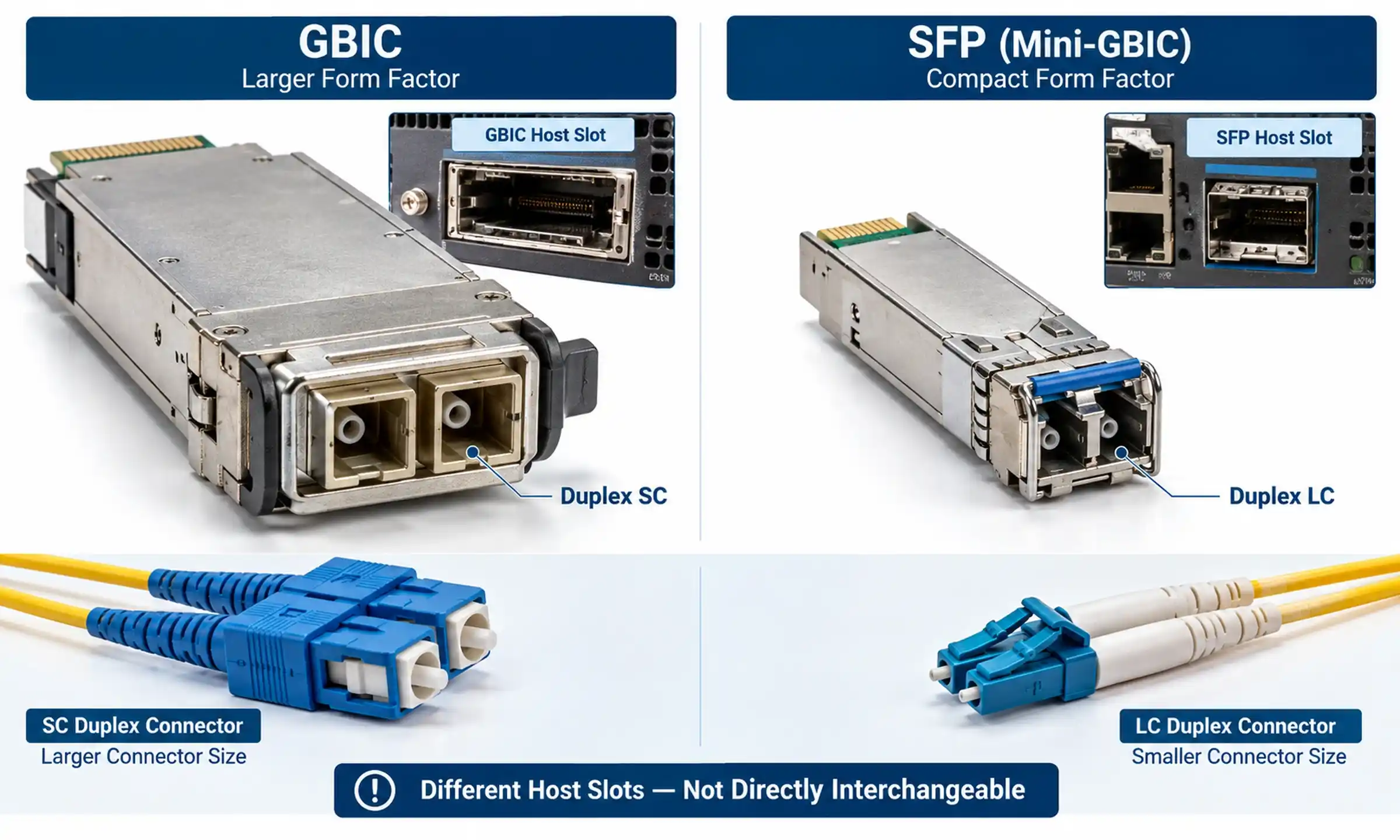
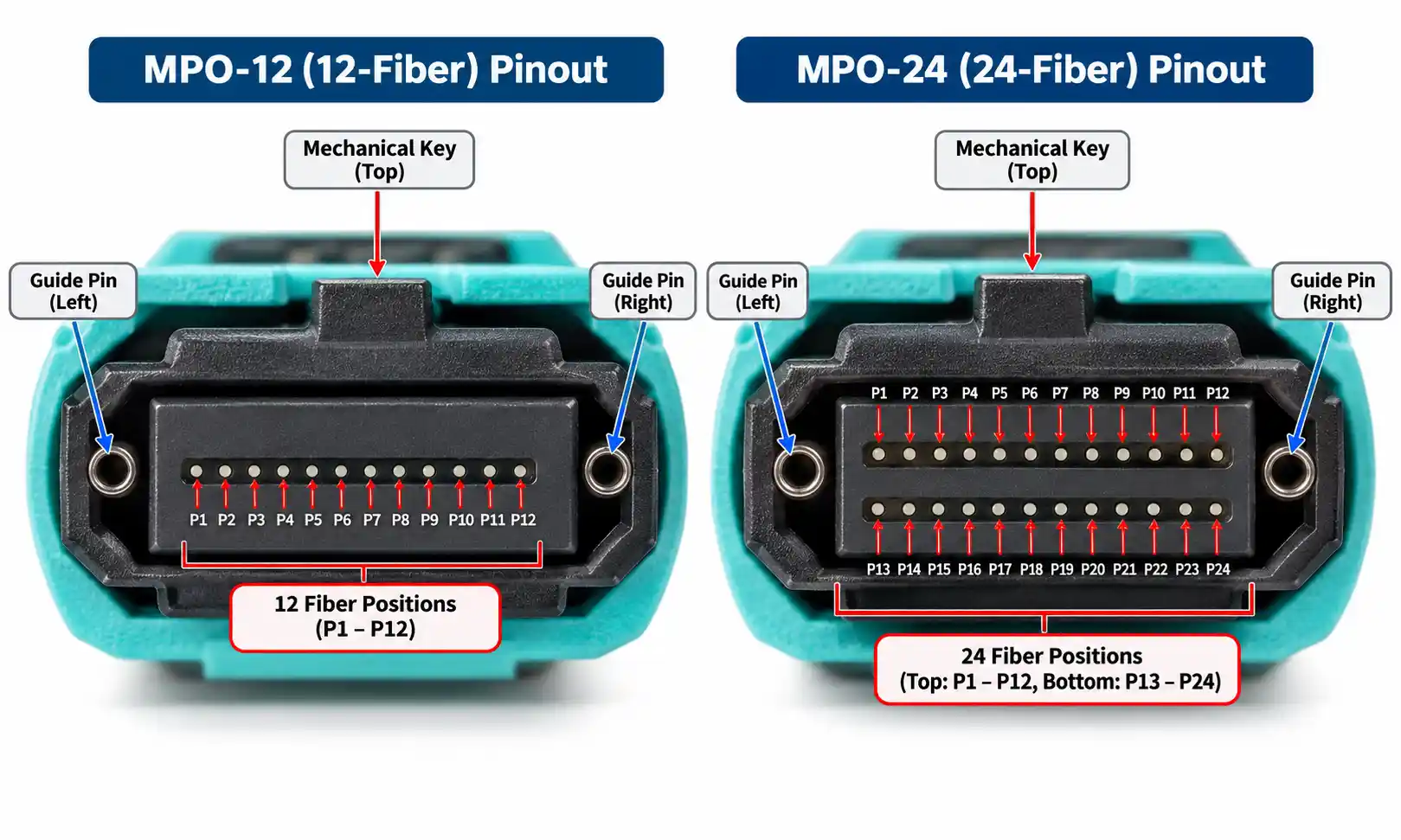
- Connector type - LC, SC, ST, or MPO/MTP for parallel optics.
- Polarity (A, B or C) for parallel and breakout links.
- Insertion loss and total link budget, validated with an OTDR or insertion-loss tester.
- End-face condition - inspect every mated port with a fiber scope before turning up high-speed optics.
Swapping transceivers without checking the plant is the most common cause of "the link won't come up" tickets in mixed legacy networks.
Step 4 - Match transceivers and connectors to the cable
Cable, connectors and optics are one system. A 10GBASE-LR module needs singlemode fiber; a 10GBASE-SR module needs OM3 or better. A 40GBASE-SR4 or 100GBASE-SR4 module needs 8-fiber parallel MPO links. Before ordering fiber, confirm the transceiver type, wavelength, connector interface, duplex-versus-parallel topology and total link budget.
Step 5 - Plan for the next upgrade
The cheapest cable today is often not the cheapest cable over the life of the network, because re-pulling fiber is expensive. For new multimode runs, OM4 is usually a safer long-term bet than OM3; for any path that might one day need to grow beyond a few hundred meters, OS2 is the right structural choice from day one.
Recommended Fiber by Application
Enterprise LAN
For short horizontal runs inside a building, OM3 or OM4 is the usual choice. For risers and inter-building links across a campus, OS2 should be in the design even if multimode is acceptable today.
Data center
OM4 is the practical default for short-reach 10G, 25G, 40G and 100G inside the row. OM5 is worth specifying only where SWDM or other wideband 850–953 nm optics are part of the network plan. For data center interconnect between halls or sites, OS2 is the right backbone.
Campus backbone
OS2 wins on distance and future scalability. Multimode can still work for shorter intra-building risers, but OS2 gives more headroom for both reach and capacity growth.
Telecom and long-haul
Singlemode only. Multimode is not designed for long-haul transmission at any speed.
Legacy network maintenance
You may still encounter OM1 or OM2 in older buildings. Identify the existing fiber first - a quick visual on the jacket color and core size on a cut end is usually enough - and only then plan transceiver upgrades.
Can You Mix OS2, OM3, OM4 and OM5?
Compatibility questions trip up more deployments than any single specification choice.
Singlemode and multimode never mix. The 9 µm OS2 core and the 50 µm OM core have radically different mode profiles. Connecting them - even briefly through an adapter - causes massive insertion loss and unstable links. Always match the transceiver to the fiber type.
OM3 and OM4 are physically compatible because both use 50/125 µm laser-optimized cores. You can mate them through the same LC or MPO connector, but the link will perform at the lower of the two ratings. For long 40G or 100G runs, keep the entire channel on OM4 or OM5.
OM5 is backward compatible with OM4 for standard 850 nm transceivers. OM5's wideband advantage only appears when SWDM or other multi-wavelength multimode optics are used end to end.
OM1/OM2 mixed with OM3/OM4 should be avoided on high-speed links. The 62.5 µm to 50 µm core mismatch and the LED-versus-VCSEL launch difference create unpredictable loss.
Fiber Color Codes and How to Identify Existing Cable
Jacket color follows TIA-598-D conventions in most markets:
- OS2 singlemode - yellow.
- OM1 and OM2 - orange.
- OM3 and OM4 - aqua (OM4 sometimes appears as erika violet from certain manufacturers).
- OM5 - lime green.
Color alone is not proof of fiber category - some early OM4 was shipped in aqua identical to OM3, and recoloring happens in repairs. When in doubt, read the jacket print, check supplier records, or measure the link with an OTDR.
Common Mistakes When Choosing Fiber Cable
Five errors account for most field problems:
- Assuming OM5 is automatically better than OM4. Without SWDM optics, OM5 performs like OM4 at significantly higher cost.
- Choosing on speed alone and ignoring distance. 100GBASE-SR4 reaches 70 m on OM3 but only 100 m on OM4 - a path you can build at 70 m may fail at 90 m.
- Mixing fiber categories on the same high-speed channel. Keep the whole link on one fiber type, especially above 10G.
- Ordering cable before confirming optics and link budget. The fiber is rarely the failure mode; the transceiver-fiber-connector combination is.
- Forgetting jacket rating. Plenum (CMP), riser (CMR), LSZH, indoor-outdoor or armored requirements are dictated by the installation environment, not the fiber category.
FAQ
Q: Is OS2 better than OM4?
A: Better is task-dependent. OS2 reaches kilometers; OM4 is cheaper to terminate for short links because VCSEL optics cost less than 1310 nm singlemode lasers. For a 50 m server link, OM4 is the better fit; for a 2 km campus run, OS2 is the only practical answer.
Q: Can I connect OS2 singlemode to OM3 or OM4 multimode?
A: No. Mating 9 µm singlemode to 50 µm multimode causes unacceptable loss and unstable link state. The fiber types are not interchangeable.
Q: Is OM5 backward compatible with OM4?
A: Yes, for standard 850 nm transceivers OM5 behaves like OM4. OM5's wideband benefit only appears with SWDM or similar multi-wavelength multimode optics.
Q: Which fiber is best for 10G Ethernet?
A: For short links inside a data center, OM3 covers 300 m and OM4 covers 400 m at 10GBASE-SR. For anything longer or for paths between buildings, choose OS2 with 10GBASE-LR or LR4 optics.
Q: Should I use OM3 or OM4 for a new installation?
A: OM4 in most cases. The cost difference is small compared to the installation labor, and OM4 buys meaningful headroom at 40G and 100G.
Q: What color is OS2, OM3, OM4 and OM5 fiber?
A: OS2 is yellow, OM3 and OM4 are aqua (OM4 occasionally violet), OM5 is lime green. OM1 and OM2 jackets are typically orange.
Q: Can OM3 and OM4 patch cords be mixed in the same channel?
A: Physically yes - both are 50/125 µm - but the channel will perform at the OM3 rating. For high-speed long links, keep the whole path on OM4.
Final Recommendation
- Choose OS2 for long-distance links, campus backbones, telecom routes, data center interconnect, and any path that needs decades of headroom.
- Choose OM4 as the default for new short-reach data center and enterprise multimode installations.
- Choose OM3 only when the link is genuinely short and 10G is the long-term target.
- Choose OM5 when SWDM or wideband multimode is explicitly part of the design.
- Keep OM1 and OM2 in service only for legacy maintenance.
The right fiber cable is not the newest or the most expensive one. It is the cable whose core size, modal bandwidth, connectors, jacket rating and supported distance line up with the transceivers and link budget you actually need - today and at the next two upgrades.