Choosing the right network switch speed is not simply a matter of buying the switch with the largest number on the specification sheet. A switch may offer 1G, 2.5G, 10G, 25G, or faster ports, but the port rate is only one part of the path that carries your traffic.
The practical rule is simple: your network performs only as fast as the relevant end-to-end path can support. A faster switch can remove a bottleneck. It cannot automatically make a slower network adapter, router interface, Internet connection, storage device, cable, transceiver, or application faster.
This guide explains the switch specifications that matter, shows where bottlenecks usually appear, and gives a practical framework for deciding whether 1G, 2.5G, or 10G is the right starting point.

What Does Network Switch Speed Actually Mean?
"Network switch speed" sounds like one specification, but several different measurements are involved. Confusing them is one of the easiest ways to overestimate what an upgrade will deliver.
Port Speed
Port speed is the Ethernet link rate supported or negotiated by an individual interface. A 1G port has a nominal link rate of 1 Gbps; a 10G port supports a 10 Gbps Ethernet link when the interface, media, and device at the other end are compatible.
The IEEE 802.3 Ethernet Working Group develops Ethernet standards across multiple speeds and media. For multi-gigabit copper specifically, IEEE 802.3bz defined 2.5GBASE-T and 5GBASE-T operation over balanced twisted-pair cabling.
A faster switch port does not force a slower endpoint to run faster. If a computer has only a 1G network interface, connecting it to a 2.5G or 10G switch does not make that computer a multi-gigabit endpoint. On interfaces that support auto-negotiation, the two link partners establish compatible operating parameters; Cisco's Ethernet auto-negotiation guidance provides a practical example of how supported speeds and duplex settings are negotiated.
Bandwidth
Bandwidth describes the capacity available to carry traffic over a link or path. On a simple point-to-point Ethernet connection, the nominal link rate and link bandwidth are closely related. In a switched network, however, the relevant bandwidth may be the capacity of one access port, one uplink, a link aggregation group, or a longer end-to-end path.
That distinction matters when many access ports feed a smaller shared path. Twenty-four 1G edge ports do not imply that 24 Gbps can pass through a single 10G uplink at the same time.
Throughput and Goodput
Throughput is the amount of traffic actually transferred during a measurement period. It is the better metric when you want to know what the network is delivering in practice rather than what a port is theoretically capable of supporting.
Real throughput depends on more than the switch. Packet loss, congestion, protocol behavior, endpoint processing, storage performance, firewall inspection, and application behavior can all reduce the rate observed by a user. RFC 5166 discusses throughput as a performance metric and distinguishes it from goodput. In data-center benchmarking terminology, RFC 8238 describes goodput as application-level throughput with retransmitted bits excluded.

A useful shorthand is:
- Port speed tells you what an interface supports.
- Bandwidth tells you how much capacity is available on a link or path.
- Throughput tells you how much traffic you actually move.
- Goodput focuses on useful application-level data delivered.
The Switch Specifications That Matter Most
1. Access Port Speeds
Start with the ports used by computers, servers, NAS devices, access points, cameras, routers, and other endpoints. Common roles include:
| Port speed | Typical role | What to verify |
|---|---|---|
| 1 GbE | General desktops, printers, basic home and office access | Whether endpoints or Internet service regularly exceed 1G requirements |
| 2.5/5 GbE | Multi-gigabit access points, faster desktops, some NAS and workstation links | NIC support, cabling condition, router/firewall port speed |
| 10 GbE | Storage, servers, high-end workstations, switch uplinks | Media type, transceiver/DAC compatibility, thermals, endpoint capability |
| 25 GbE and above | High-bandwidth servers, aggregation, data-center networks | Platform architecture, optics, cabling, traffic design, forwarding performance |
2. Switching Capacity
Switching capacity is an aggregate specification for how much traffic the switch architecture is designed to move. It becomes more important as port count and concurrency increase.
A 48-port switch with high-speed interfaces needs enough internal capacity to serve simultaneous traffic patterns without creating an architectural bottleneck. Enterprise data sheets therefore list aggregate switching capacity separately from individual port rates. For example, Cisco's Catalyst 9300 Series data sheet publishes switching capacity and forwarding rate as separate specifications.
Do not compare two switches only by the largest Gbps number on their product pages. Check what the vendor means by that number, whether it includes full-duplex accounting, and whether stacking bandwidth is reported separately.
3. Forwarding Rate
Forwarding rate is normally expressed in Mpps or Bpps-millions or billions of packets per second. Bandwidth measures bits per second; forwarding rate measures packets processed per second.
The difference matters because small packets require more packet-processing operations for the same amount of carried data. Most home and small-office buyers do not need to calculate packet-rate limits. In high-performance networks, security-heavy environments, and workloads dominated by small packets, forwarding rate deserves closer attention.
4. Uplink Speed
The uplink is one of the most common places for an otherwise fast switch to become constrained. If many users access servers, storage, another switch, or the router through one shared uplink, those flows compete for that uplink's capacity.
Do not size the uplink by multiplying every access port by its maximum speed. That usually exaggerates real demand. Instead, estimate how much traffic is likely to cross the uplink at the same time, then leave reasonable headroom for bursts and growth.
For example, suppose twelve 1G clients each sustain about 800 Mbps toward a central server located beyond a 10G uplink. Their combined offered load is about 9.6 Gbps before considering protocol overhead or other traffic. In that situation, the 10G uplink is close to becoming the shared constraint even though no client exceeds its own 1G port.
5. Physical Media and Interface Compatibility
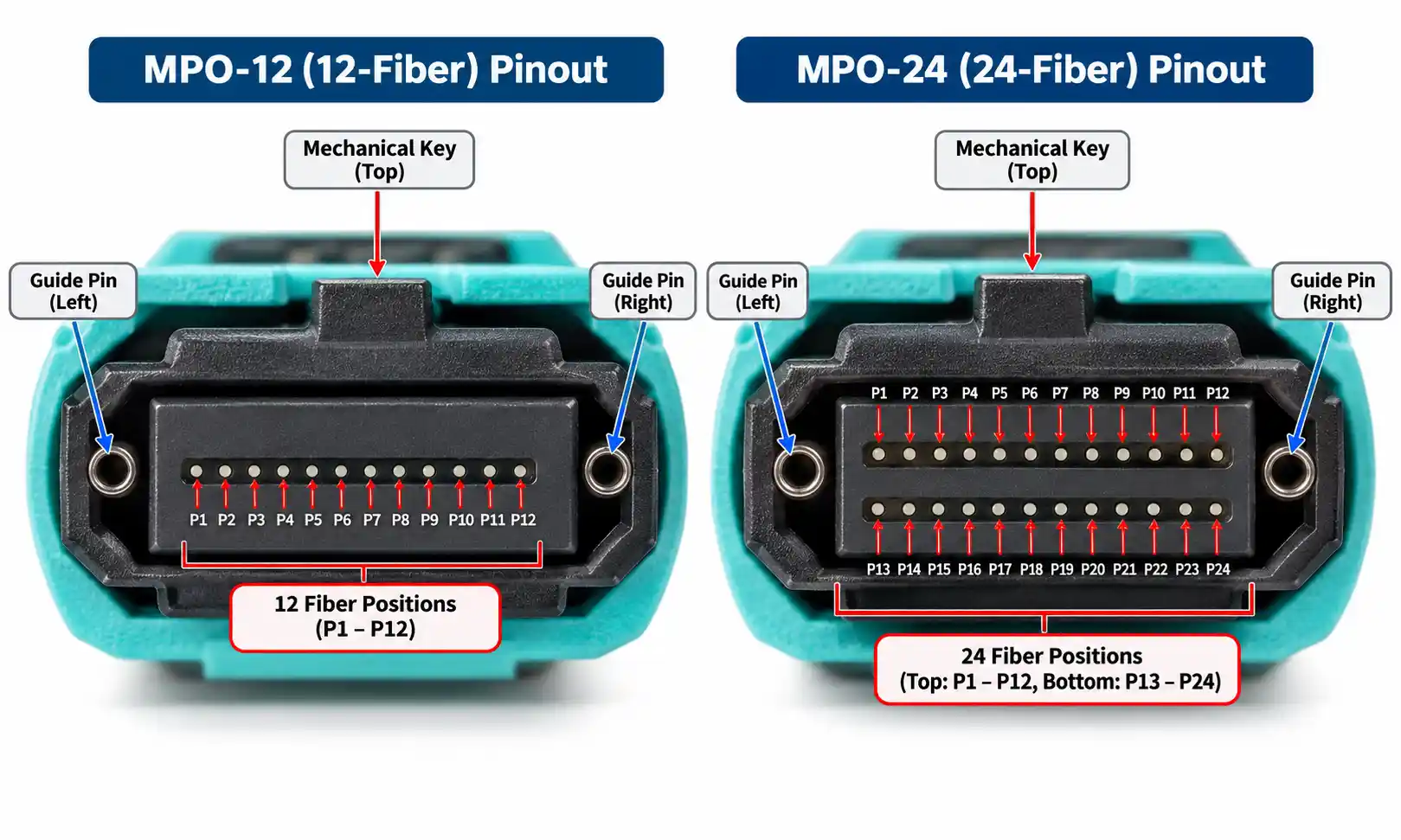
A switch port speed is useful only when the physical link supports it. Check the complete connection: cable category or fiber type, connector, transceiver or DAC, supported reach, switch port, and device at the far end.
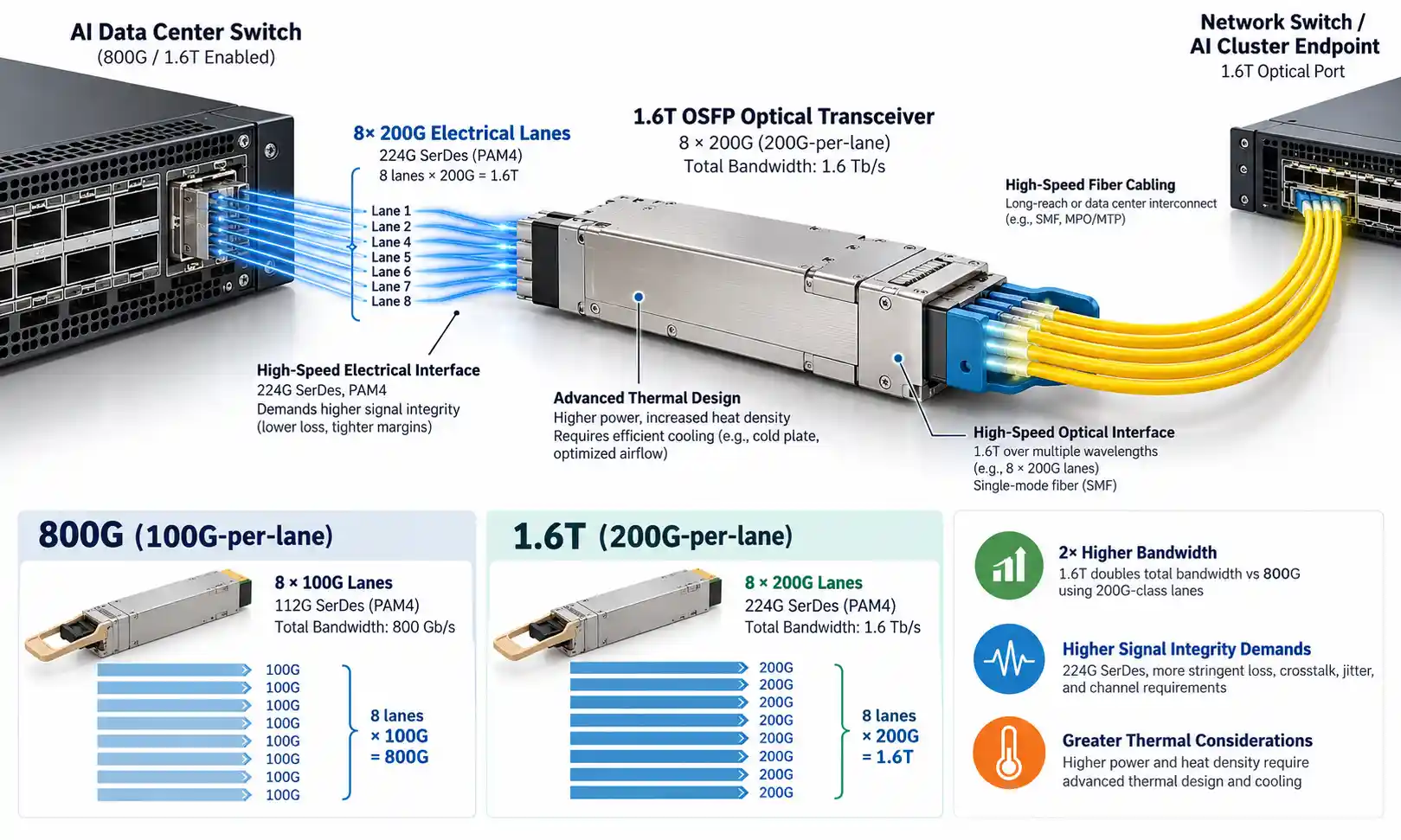
For copper deployments, the site's Ethernet cable category guide can help you compare the practical roles of different twisted-pair categories. For optical or pluggable interfaces, review SFP and SFP+ speed compatibility before assuming that a module, port, and link rate can be mixed freely. FOCC also lists its fiber optic transceiver families for deployments that require pluggable optical interfaces.
1G vs 2.5G vs 10G: Which Switch Speed Do You Need?
This is the decision most buyers are actually trying to make. The right answer depends on the traffic that matters, the interfaces at both ends of that traffic, and whether the switch is currently the limiting component.
| Starting point | Good fit for | Endpoint requirement | Uplink consideration | Cabling/media implication | When it may be unnecessary |
|---|---|---|---|---|---|
| 1G | Basic home networks, web-centric offices, printers, light file sharing, endpoints limited to 1G | 1G NICs are sufficient | Consider faster uplinks if many 1G users converge on shared servers | Common structured copper cabling is usually straightforward when installed correctly | When local transfers, APs, Internet service, or storage regularly need more than 1G |
| 2.5G | Multi-gig Internet, Wi-Fi 6/6E/7 access points, faster desktops, moderate NAS use | 2.5G-capable NICs or APs are required to benefit on each link | 2.5G access ports can make 10G uplinks more useful as traffic aggregates | Can be attractive where existing balanced twisted-pair cabling is suitable, but actual support depends on the installation and equipment | When all meaningful endpoints remain 1G and there is no faster traffic path planned |
| 10G | NAS-heavy workflows, video production, large backups, virtualization, servers, high-end workstations, switch aggregation | 10G NICs or faster server-side interfaces are needed on the flows that matter | Often useful as an uplink even when access ports are slower | May use copper, DAC, or fiber depending on distance, platform, and design | When storage, endpoints, router, or workload cannot use more than 1G or 2.5G |

Choose 1G When the Important Paths Are Still 1G
Gigabit Ethernet remains adequate for many endpoints. If your Internet service is below 1 Gbps, your PCs have 1G adapters, and local file transfers are not a pain point, replacing a healthy 1G access switch may not change day-to-day performance.
That does not mean the whole network must remain 1G. A common design is to keep 1G at the edge while using a faster server or uplink connection to reduce aggregation bottlenecks.
Choose 2.5G When You Need More Edge Speed Without Jumping Straight to 10G
2.5G is often a practical middle ground for multi-gigabit access points, desktops, and NAS devices. It can increase local transfer speed and provide more headroom for Internet services above 1 Gbps, provided the router, NIC, cabling, and other devices on the path also support the higher rate.
The upgrade is most convincing when you can name the endpoints that will actually negotiate at 2.5G. If every important device remains 1G, a 2.5G switch is mainly buying future capacity rather than immediate throughput.
Choose 10G When Storage, Servers, or Aggregation Are the Bottleneck
10G is especially useful where several slower clients converge on a fast server, or where one workstation must move large files quickly to network storage. A NAS with a 10G connection can serve multiple 1G or 2.5G clients without forcing all of them through a single 1G server-side link.
If you are considering a larger jump, the site's discussion of upgrading from a 1G to a 10G switch is a useful companion, but the same rule still applies: upgrade the bottlenecked path, not just the most visible box.
Does a Faster Switch Increase Internet Speed?
Sometimes, but only when the existing LAN is restricting the Internet path.
Consider a PC with a 1G NIC, a 2.5G switch, a router with a 1G LAN interface, and a 500 Mbps Internet connection. Replacing the switch with a 10G model will not make Internet downloads exceed the 500 Mbps service or the 1G interfaces elsewhere in the path.
The opposite case is different. If you pay for multi-gigabit Internet but your router-to-switch connection or client connection is limited to 1G, then a faster switch port may be one of several upgrades required to use more of the available service.
If the roles of the devices themselves are unclear, start with the site's hub vs switch vs router guide. It helps separate LAN switching limits from routing and WAN limits before you replace hardware.
How to Choose the Right Network Switch Speed
Step 1: Map the Traffic That Matters
List the flows you actually care about. Examples include:
- PC to Internet;
- workstation to NAS;
- server to server;
- wireless access point to LAN;
- camera network to recording server;
- access switch to aggregation switch.
This immediately tells you whether the important traffic stays local to one switch or must cross an uplink, firewall, router, or WAN connection.
Step 2: Check Both Ends of Every Important Link
Record the supported and negotiated rate for the NIC, switch port, router/firewall interface, NAS, access point, and server involved. A "10G-capable" switch does not prove the active connection is running at 10G.
When an interface unexpectedly negotiates at a lower speed, investigate the cable, transceiver, port capability, device configuration, and compatibility before assuming the switch lacks performance.
Step 3: Size Shared Paths
Estimate simultaneous traffic, not theoretical maximum traffic on every port. A 24-port access switch with light web-browsing clients may be comfortable with an uplink far below 24 Gbps. The same port count serving video editors pulling files from central storage may need much more aggregate capacity.
Ask where traffic converges. If ten users can each receive 1G locally but all of them must pass through one 1G uplink to reach the server, the access ports are not the main problem.
Step 4: Check Switching Capacity and Forwarding Performance
For simple edge networks, the vendor's architecture may make this step uncomplicated. For dense or high-performance environments, inspect switching capacity, forwarding rate, stacking bandwidth, supported feature combinations, and any published architectural limitations.
Do not assume "wire speed" means the same thing across every vendor, packet size, interface combination, and feature configuration. Read the conditions attached to the claim.
Step 5: Verify Cabling, Optics, and Reach
Speed upgrades often fail at the physical layer. Before ordering new switches, confirm that the intended rate is supported by the installed cable or fiber, the link distance, transceiver type, connector, and device ports. The site's network cable section is one place to review copper cabling options when the physical medium is part of the upgrade.
Step 6: Leave Useful Headroom, Not Unlimited Headroom
Growth headroom is sensible when you expect faster Internet service, additional access points, more users, heavier east-west traffic, faster storage, or more switches. But "future-proofing" is not a reason to buy the highest speed available without a migration plan.
A 10G or faster design can also change NIC, transceiver, cable, power, cooling, and uplink requirements. The better question is whether the planned upgrade creates a coherent path for the next generation of endpoints.
Step 7: Evaluate Features After the Speed Requirement Is Clear
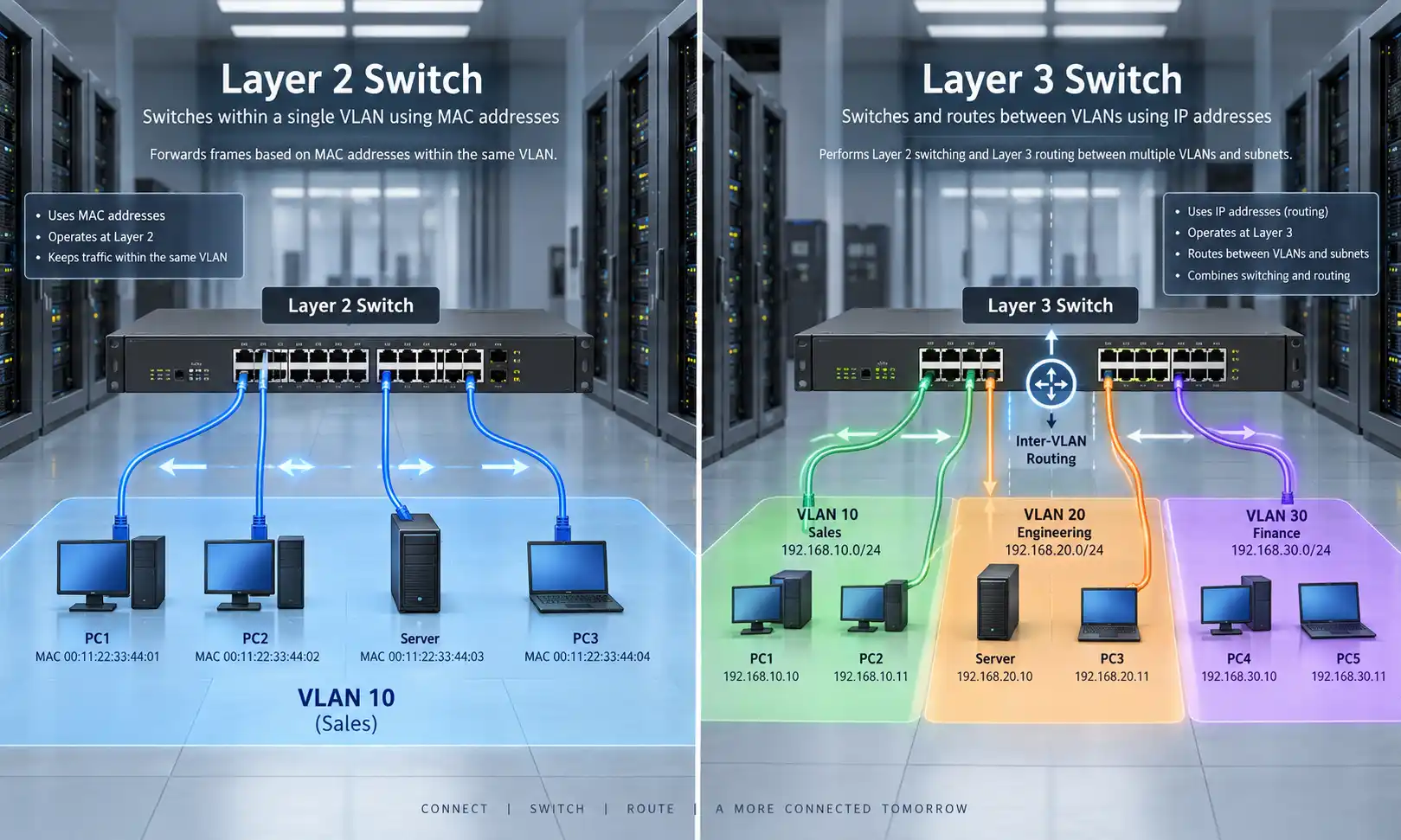
Once the capacity problem is understood, consider PoE, VLANs, QoS, Layer 3 features, link aggregation, redundancy, stacking, remote management, and security controls. If you are deciding how much switch management you actually need, compare managed and unmanaged switches separately from the raw speed decision.

Three Practical Network Switch Speed Scenarios
Scenario 1: 1 Gbps Internet, 2.5G Switch, 1G PC
The 2.5G switch does not make the 1G PC receive Internet traffic at 2.5 Gbps. The PC's own interface remains a 1G link. If another local device has a 2.5G interface, however, that local flow may benefit even though the Internet connection does not.
Scenario 2: 10G NAS With Several 1G Clients
One 1G client cannot pull 10 Gbps from the NAS. But a 10G server-side connection can still make sense because several clients may use the storage at the same time. The faster NAS link provides aggregate capacity and reduces the chance that one 1G server connection becomes the choke point for everyone.
Scenario 3: 2.5G Access Ports With a 1G Uplink
Two devices on the same switch may communicate above 1 Gbps if their ports and the switching architecture support it. Traffic that must leave the switch, however, shares the 1G uplink. If local transfers are fast but access to remote servers is consistently slow under load, investigate the uplink before replacing every endpoint.
How to Test Real Network Throughput
1. Check the Negotiated Link Speed First
Verify the active rate at both ends of the link where possible. An unexpected 1G negotiation on a 2.5G or 10G-capable path is a configuration or physical-layer clue, not proof that the switch needs more aggregate capacity.
2. Test the LAN Separately From the Internet
An Internet speed test includes your router, ISP, remote test server, and WAN conditions. To evaluate the local network, test between two devices inside the LAN.
ESnet's iperf3 documentation describes iperf3 as a network throughput measurement tool using a client/server model. A basic TCP test starts a server on one system:
iperf3 -s
Then a client on the other:
iperf3 -c <server-ip>
This helps separate local transport performance from Internet-provider limitations. For more demanding testing, control variables such as parallel streams, direction, packet loss, host CPU load, and test duration rather than treating one number as universal proof of switch performance.
3. Test the Path in Sections
A useful troubleshooting sequence is:
- test endpoint to endpoint on the same switch;
- test across the uplink;
- test through the router or firewall;
- test across the WAN or Internet;
- test the real application, such as backup or file transfer, after transport tests are understood.
If the first test is healthy and the second drops sharply, focus on the uplink. If LAN transport is healthy but a backup remains slow, storage or application behavior may be the limiting factor.
Common Network Switch Speed Mistakes
Buying 10G When Every Relevant Endpoint Is 1G
A 10G switch creates potential capacity; it does not upgrade the NICs attached to it. Buy the faster access layer when you can identify current or planned devices that will use it, or when the higher-speed model solves an uplink or aggregation problem.
Treating Every Gbps Specification as the Same Metric
Port rate, switching capacity, forwarding bandwidth, stacking bandwidth, and uplink bandwidth describe different parts of a switch. Read the definition beside the number.
Ignoring the Uplink
Fast access ports can still feed a slower shared path. Diagnose traffic direction and concurrency before blaming the edge ports.
Assuming a Faster LAN Switch Automatically Improves Internet Performance
A switch upgrade helps Internet speed only when the LAN switch or its links are the constraining part of the Internet path.
Ignoring the Physical Layer
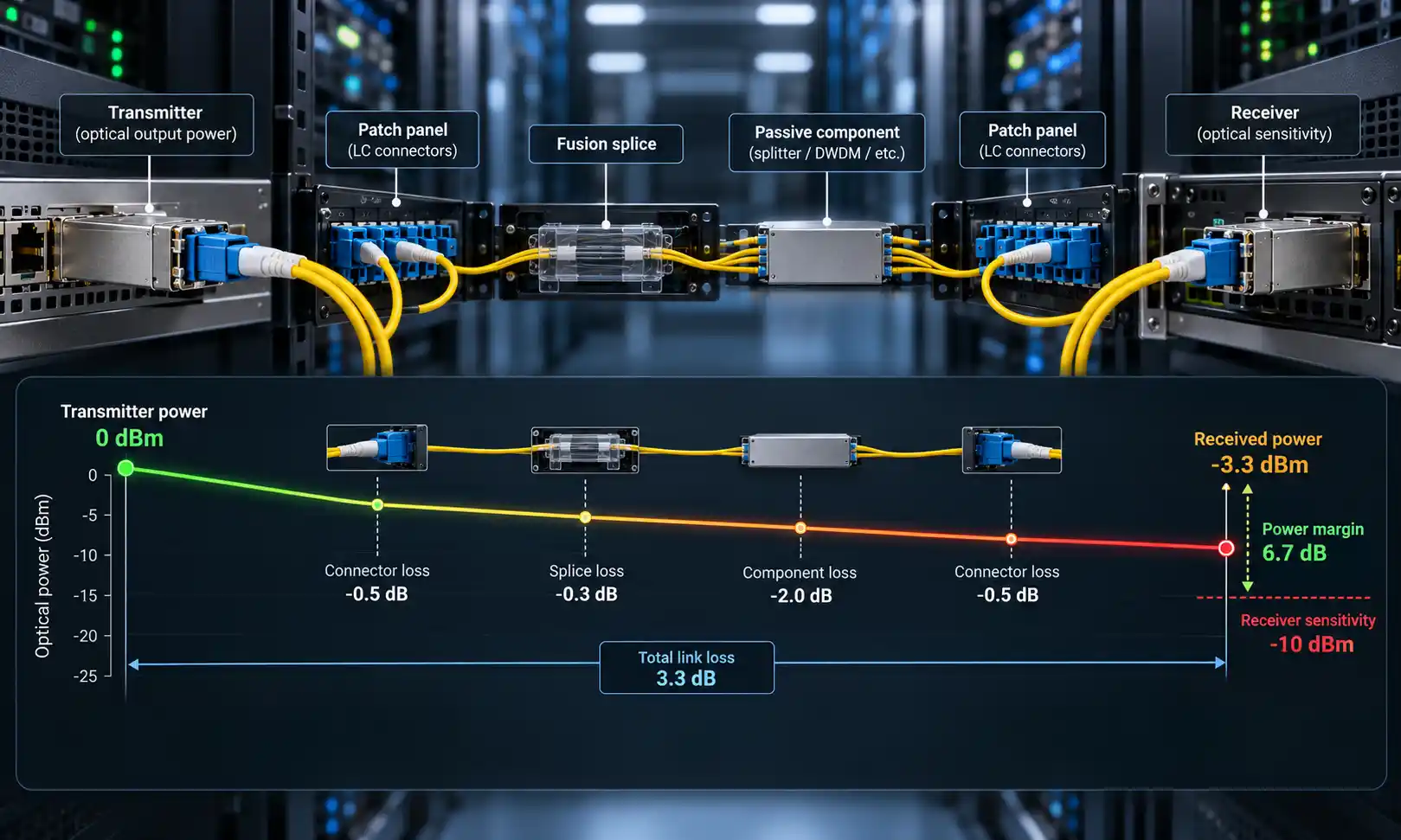
A high-speed port cannot compensate for unsupported media, excessive reach, the wrong optic, a marginal cable, or an incompatible interface combination.
FAQ
Q: Is network switch speed measured per port?
A: Port speed normally describes the link rate of an individual Ethernet interface. A switch also has aggregate specifications such as switching capacity and forwarding rate, so per-port speed should not be confused with total switch performance.
Q: Does a network switch divide bandwidth equally between all ports?
A: No. Each link operates according to its own capabilities, while contention occurs when multiple traffic flows compete for a shared resource such as an uplink or constrained forwarding path.
Q: Will a 10G switch make a 1G computer faster?
A: Not beyond the 1G limit of that computer's network interface on the connection. A 10G switch may still improve other parts of the network, such as uplinks, server connections, or aggregate capacity for multiple clients.
Q: Is 2.5G worth it for a home network?
A: It can be if you have multi-gigabit Internet, 2.5G-capable PCs or NAS devices, or access points that can use more than 1G. If all meaningful endpoints and the router remain 1G, the immediate performance gain may be small.
Q: Is 10G worth it for a NAS?
A: It can be when the NAS storage subsystem and clients can move data fast enough, or when several slower clients access the NAS at the same time. A 10G network link will not overcome a slow disk array, CPU bottleneck, protocol limitation, or 1G client port.
Q: How fast should my switch uplink be?
A: There is no universal ratio between access-port bandwidth and uplink bandwidth. Estimate the traffic expected to leave the switch simultaneously, consider peak load and growth, and choose an uplink with appropriate headroom.
Final Takeaway
Network switch speed is not one number. Before choosing 1G, 2.5G, 10G, or faster switching, answer five questions:
- How fast are the endpoint links that matter?
- How much aggregate traffic must the switch move?
- How much traffic converges on the uplinks?
- Does the cabling or optical path support the intended rate?
- What throughput does the complete path actually deliver today?
The goal is not to buy the fastest switch. The goal is to build a network in which each component has enough capacity for the traffic it actually needs to carry, with sensible headroom for growth.