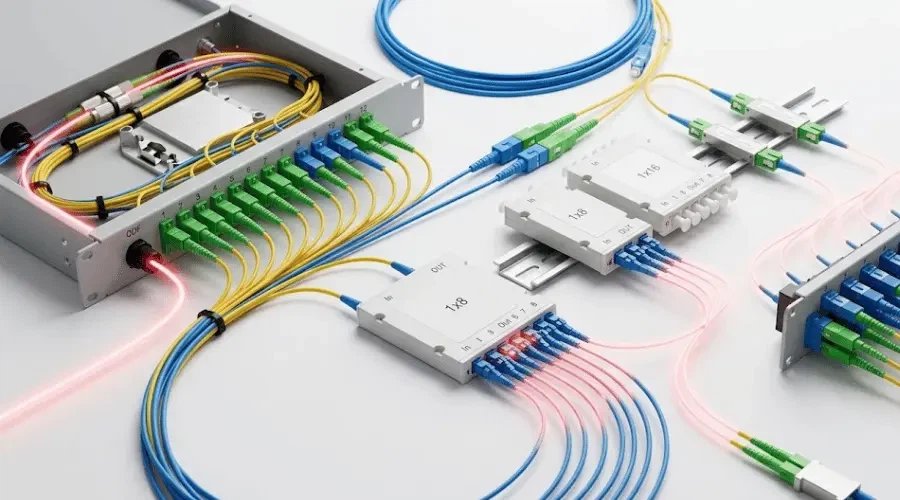
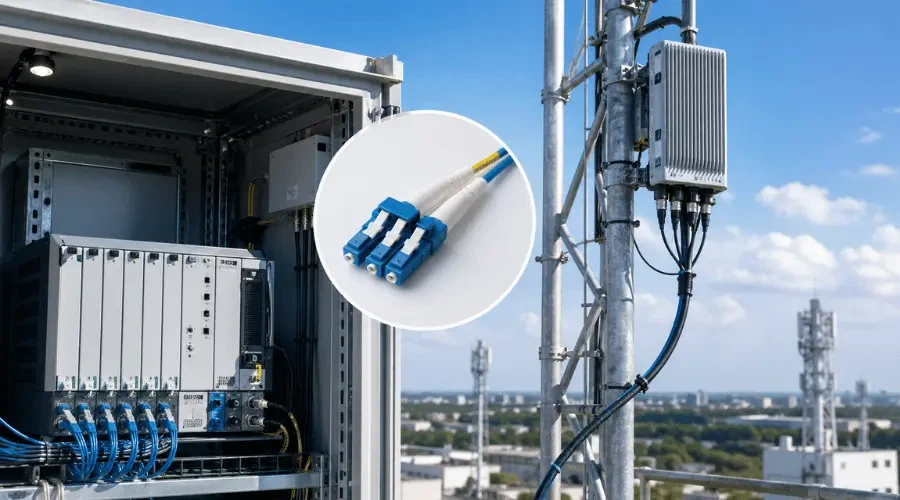
Optical attenuators serve a deceptively simple function-reducing signal power to prevent receiver saturation-yet their proper installation demands attention to details that many technicians underestimate. In high-speed fiber networks where launch power often exceeds what short-haul links require, these passive devices become essential for maintaining signal integrity within the receiver's dynamic range. This guide addresses the practical knowledge gaps that formal training often skips.
What Nobody Tells You About Attenuator Types
Here's the thing about choosing attenuators: the type matters far more than most spec sheets suggest.
Fixed inline attenuators get permanently spliced into the fiber path. Great for stability. Terrible if you guessed wrong on the attenuation value. I've seen technicians splice in a 10dB attenuator only to realize the link needed 7dB, and suddenly you're redoing the whole splice enclosure.
Bulkhead style (the ones that look like adapter sleeves) are what most people end up using. Pop them into the patch panel, plug your jumper into one end, done. The convenience factor is real. But they add two connector interfaces instead of one, which means two potential contamination points.
Variable attenuators with those little adjustment screws? Mostly useful in lab environments or during commissioning when you're still dialing in the system. Don't trust the graduated markings too much-they're approximate at best. Always verify with a power meter.
Quick reference for common scenarios:
| Situation | Usually Works |
|---|---|
| Datacenter short patch | 5-10dB fixed, LC/UPC bulkhead |
| CATV headend | SC/APC, check power handling |
| Test bench | Variable, FC connectors |
| Permanent OSP installation | Inline splice type |
The Connector Matching Problem
This trips up beginners constantly.
APC connectors have that 8-degree angled polish-they're always green. UPC connectors are blue. Mixing them doesn't just give you bad return loss numbers; you can actually damage the fiber end face. The angled tip of an APC pressing against the flat face of a UPC creates point loading that scratches both surfaces.
I'll say it plainly: if you connect APC to UPC, you will create a permanent defect. Not might. Will.
SC, LC, FC, ST-these describe the mechanical housing. The polish type (PC, UPC, APC) describes the end face geometry. You need both to match. An LC/APC attenuator goes with LC/APC jumpers. Sounds obvious, but in a dark cabinet at 2 AM, blue and green look surprisingly similar.
Before You Touch Anything
Kill the laser source. I'm not being dramatic-Class 1 fiber systems are eye-safe under normal conditions, but normal conditions assume you're not staring directly into an open connector. Higher-power systems (EDFA outputs, CATV, some DWDM configurations) absolutely can cause retinal damage faster than your blink reflex.
Gather your cleaning supplies first:
Lint-free wipes (not Kimwipes from the chemistry lab-actual fiber-grade wipes)
IPA or fiber cleaning solution
Click-style cleaning pens for bulkhead ports
Compressed air that's actually clean and dry
The inspection scope matters more than people think. A 200x or 400x fiber microscope lets you see contamination invisible to the naked eye. One fingerprint on an end face can add 1-2dB of loss. One. Fingerprint.
The Actual Installation Process
Assuming you're installing a bulkhead-style attenuator into an adapter panel, here's the real sequence:
Pull the existing patch cord. Immediately cap it-don't set it on the cabinet floor while you fumble for the attenuator. Dust lands on horizontal surfaces in seconds. Cap the adapter port too if you'll be working for more than a minute.
Inspect the attenuator's end faces before installation. New from the bag doesn't mean clean. Inspect, clean if needed, inspect again.
Insert the attenuator into the adapter with steady, aligned pressure. For LC, you'll feel the latch click. For FC, thread the nut until finger-tight plus maybe a quarter turn-overtightening stresses the ferrule. For SC, push straight in until seated.
Clean your patch cord end face. Inspect it. Not with your eyes. With the scope.
Connect the patch cord to the attenuator.
That's it mechanically. But now you need to prove it works.
Measuring What You Actually Installed
Power meter setup: select the right wavelength (probably 1310nm or 1550nm-check your system), set units to dBm, zero/reference if the meter supports it.
The measurement you want:
Input power (measure before the attenuator)
Output power (measure after)
Difference = actual attenuation
If your attenuator is rated 10dB ±0.5dB, and you measure 10.3dB, you're fine. If you measure 13dB, something's wrong. Dirty connector, bad seating, wrong attenuator pulled from inventory.
Typical measurement record:
| Point | Reading | Notes |
|---|---|---|
| Tx output | +2.1 dBm | Before attenuator |
| After attenuator | -8.2 dBm | 10.3dB total |
| Rx input | -8.4 dBm | After 2m patch |
The extra 0.2dB is the patch cord. Normal.
When Things Go Wrong
High attenuation (more than spec): Contamination is the first suspect. Always. Clean everything and remeasure. Second suspect: connector mismatch or damage. Third: you grabbed the wrong attenuator from the bin.
Unstable readings that drift or fluctuate: Loose connection, usually. Or the fiber is being stressed somewhere-kinked, pinched in a cable manager, bent too tight. Minimum bend radius exists for a reason.
Attenuation way too low: Did you install it backward? Some cheaper attenuators are directional. Or the attenuation element itself has failed-rare but not unheard of with the absorptive-doped-fiber types after thermal stress.
Return loss failures show up as high bit error rates even when power levels look acceptable. The reflected signal interferes with the transmitted signal. APC/UPC mismatches cause this. So do cracked ferrules.
A Few Things That Experience Teaches
Keep spares. Attenuators are cheap. Downtime isn't. Stock a few values in each connector type your site uses.
Label everything. Which port has the attenuator? What value? Date installed? Future you will thank present you.
Temperature matters more than datasheets suggest. Attenuator specs might say -40°C to +85°C operating range, but the attenuation value can shift slightly with temperature. Not enough to usually matter, but in precision applications, verify at operating temperature.
Document the baseline. When the link is working perfectly, record the power levels. Months later, when someone says "I think the signal is weaker," you'll have numbers to compare against instead of guessing.
Never blow compressed air directly into your eye. This sounds unrelated but happens more than you'd think when clearing dust from connectors.
Reference Specifications Worth Knowing
For procurement purposes, here's what the datasheet parameters actually mean:
Attenuation value and tolerance: The nominal dB rating plus how much it can vary. ±0.5dB is typical for fixed attenuators; ±1dB is acceptable for non-critical applications.
Return loss: How much light reflects back. Higher numbers better. UPC should give you >50dB, APC >60dB.
Power handling: Usually 300mW to 500mW for standard attenuators. High-power versions go to 1W or beyond. Exceed this and you'll damage the attenuation element-absorptive types especially.
PDL (polarization dependent loss): Matters for coherent systems and precise measurements. <0.1dB is a reasonable spec for quality components.
The IEC 61753-1 standard covers performance requirements if you need formal compliance documentation.
That covers the essentials without pretending this is more complicated than it is. Attenuator installation is straightforward if you respect the fundamentals: clean connections, correct matching, proper verification. Most problems come from rushing or from contamination you didn't see because you skipped the inspection step.
Keep a cleaning kit in every work location. Inspect before connecting. Measure after installing. Everything else is details.