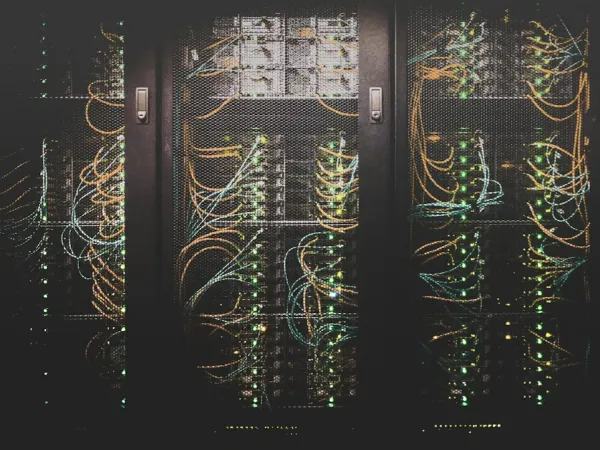
The MTP 24 market has exploded over the past few years. Walk into any serious data center and you'll see these connectors everywhere-dense blue cables snaking between racks, connecting switches that push 400G or even 800G now. But here's the thing: not all MTP 24 setups work the same way. Get the wrong configuration and your network just won't light up. I've seen engineers waste entire afternoons because someone ordered Type A when they needed Type B.

Polarity: Type A vs Type B (and Why It Actually Matters)
Type A uses straight-through fiber mapping. Fiber 1 on one end connects to fiber 1 on the other end. Simple enough. Type B flips everything-fiber 1 maps to fiber 24, fiber 2 to fiber 23, and so on down the line.
Why does this exist? Polarity management. In a typical 40G or 100G deployment, you need transmit fibers on one device to hit receive fibers on the other device. Type B configurations handle this flip automatically within the connector. Type A requires you to do the flip somewhere else in the link-usually at a patch panel or with a specific adapter.
Most installations I've worked with stick to one type throughout the entire facility. Mixing them creates headaches. You end up with link light but no data transmission, and troubleshooting that gets expensive fast when you're paying contractors by the hour.
Male and Female Connectors
MTP connectors come in two genders. Male versions have metal guide pins sticking out. Female versions have alignment holes to receive those pins.
You can't mate two males or two females together without an MTP Adapter in between-and even then, you're adding insertion loss for no good reason. The standard practice is to use female connectors on your fixed infrastructure (patch panels, cassettes) and male connectors on your patch cables. This way everything just plugs together correctly.
Some cheap cables ship with male connectors on both ends. These work fine for certain trunk applications, but they force you to use adapters if you're connecting to standard equipment ports. Save yourself the trouble and spec female-to-male cables for most deployments.
Fiber Count Options Beyond 24
Here's something that trips people up: not every "MTP 24" connector actually uses all 24 fibers. The connector housing supports 24 positions, but your cable might only have 12 or 16 active fibers populated.
Common configurations include:
Full 24-fiber – All positions populated. Maximizes density. This is what you want for 100G breakouts or when you're running multiple 40G channels through a single connector. Data centers that charge by the rack unit love these because you're packing maximum connectivity into minimum space.
2x12 splits – Essentially two separate 12-fiber groups within the 24-position connector. Some parallel optics architectures prefer this arrangement. You get the density benefits without dealing with 24-strand fan-outs.
3x8 configurations – Less common, but I've seen them in custom installations where the switch architecture requires specific lane groupings. Cisco used to spec these for certain line cards.
The unused fiber positions get filled with dummy fibers during manufacturing. You won't notice them unless you're doing optical time-domain reflectometry (OTDR) testing and wondering why certain lanes show weird reflection patterns.
Keying: That Little Tab Nobody Thinks About
Look at an MTP connector closely. See that small rectangular tab? It's either on top (up-key) or bottom (down-key) of the connector body.
This prevents you from inserting a connector upside down-which would completely scramble your fiber mapping and kill the link. The problem is that equipment manufacturers don't all use the same keying standard. Some switches have up-key ports, others use down-key.
You need to match your cables to your equipment. Period. I learned this the hard way during a weekend deployment at a financial services firm. Spent two hours confused about why nothing worked before someone finally noticed the keying mismatch. We had to wait until Monday for correct cables. Not a fun conversation with the project manager.
Multimode vs Single-Mode: Distance and Wavelength Considerations
OM3 handles 40G up to 100 meters, 100G up to about 70 meters depending on the transceiver specs. Good enough for most intra-building links. Costs less than OM4.
OM4 pushes those distances further-150 meters for 40G, 100 meters for 100G. The extra cost makes sense if your data center spans multiple floors or if you're planning capacity upgrades. That extra 30-50 meters of reach might save you from needing active equipment in the middle of a link.
OM5 supports shortwave wavelength division multiplexing (SWDM4). Basically, you can push four different wavelengths through the same fiber pair. This matters for certain 400G applications, but honestly, OM5 adoption has been slower than the industry predicted. Check if your transceivers actually support it before paying the premium.
Single-mode MTP 24 cables are a different beast entirely. These support kilometers of distance-useful for campus environments or metro applications. The connector looks identical to multimode versions, but the fiber cores are much smaller (9 microns vs 50 microns). Don't mix them up. The connector will physically mate, but you'll get massive loss and a dead link.
Trunk vs Breakout vs Conversion Cables
Trunk cables have MTP connectors on both ends. They connect patch panel to patch panel or switch to switch. No fan-outs, no fuss. These are your workhorses for backbone infrastructure.
Breakout cables have an MTP connector on one end and 12 or 24 individual duplex LC connectors on the other end. Use these when you need to split a high-density MTP port into individual server connections. The LC connectors are usually color-coded and numbered-which helps during installation but means nothing six months later when someone needs to trace a circuit at 2 AM.
Conversion cables adapt between different fiber counts. MTP 24 to MTP 12 conversions let you connect newer 100G equipment to older 40G infrastructure without ripping everything out. Not elegant, but it works and saves money during transitions.

Jacket Types and Building Codes
Your building inspector cares about cable jackets more than you might think.
OFNP (plenum-rated) jackets are required for cables running through air handling spaces-anywhere that recirculates building air for HVAC. Plenum cables use special materials that produce less smoke and toxic fumes during fires. They cost more, but you can't skip this if local fire codes require it. And trust me, they usually do.
OFNR (riser-rated) cables work in vertical shafts between floors. Not rated for plenum spaces, but cheaper than OFNP and perfectly fine for most riser applications.
LSZH (Low Smoke Zero Halogen) jackets are standard in Europe and increasingly common in US facilities that follow international standards. These produce even less toxic smoke than plenum cables. Offshore oil platforms and ships pretty much mandate LSZH for everything.
Some facilities use OFNP throughout the entire building just to avoid tracking which spaces are plenum and which aren't. Costs more upfront but simplifies inventory and installation.
Custom Lengths: When Standard Doesn't Cut It
Pre-terminated MTP 24 cables come in standard lengths: 1m, 2m, 3m, 5m, and so on. These work fine for most installations. But sometimes you need exactly 7.3 meters to make a clean run without excess cable coiling up behind your racks.
Custom-length cables typically add 2-3 weeks to delivery time and cost 20-30% more than standard lengths. Worth it for large installations where cable management matters. Not worth it if you're just hooking up a test lab.
One trick I've used: order slightly longer standard lengths and do proper cable dressing with velcro straps. Looks cleaner than you'd expect and avoids the custom cable premium.
Port Density: Why 24-Fiber Matters for Rack Space
Here's the math that makes 24-fiber MTP systems compelling: you can fit 144 fibers (six 24-fiber connectors) into the same 1U panel space that holds 72 LC duplex ports. That's double the density.
When you're paying $200-300 per rack unit per month in a tier-3 data center, that density directly impacts your OpEx. One 24-fiber MTP panel replaces two 12-fiber panels. You just saved 1U, which is $2,400-3,600 annually. Scale that across 20 or 30 racks and the numbers get real interesting.
The flip side is that 24-fiber systems are less forgiving. If one fiber in an MTP connector fails, you've potentially lost an entire 100G port. With LC duplex connections, a single failed fiber only kills one link. It's a trade-off between density and granular redundancy.
Testing and Quality Control
Factory testing should include insertion loss measurements for every fiber in the cable. Good manufacturers spec 0.35 dB or less. Cheap offshore cables often hit 0.5-0.7 dB, which might work for 40G but causes bit error rates on 100G links.
Return loss matters too-you want 50 dB minimum. Poor endface polish creates reflections that bounce back into your transceiver. Modern coherent optics are more sensitive to this than older technology.
Always ask for test reports with serial number traceability. I've caught bad cable batches this way. One batch of supposedly OM4 cable tested at OM3 performance levels. The vendor blamed the testing lab until we had them retest the samples. They eventually ate the cost of replacing 200 cables.
Final Thoughts on Configuration Selection
Pick your MTP 24 configuration based on what your equipment expects, not what's cheapest this month. Incorrect polarity means zero data transmission even though the link lights look fine. Wrong fiber type means you'll hit distance limitations during the next upgrade cycle.
Budget for proper testing during installation. A $5,000 OTDR pays for itself the first time it catches a bad fiber before you mount equipment in the rack. And please, please document your polarity scheme. Future you (or future technicians) will appreciate not having to reverse-engineer the cabling during an outage at 3 AM.