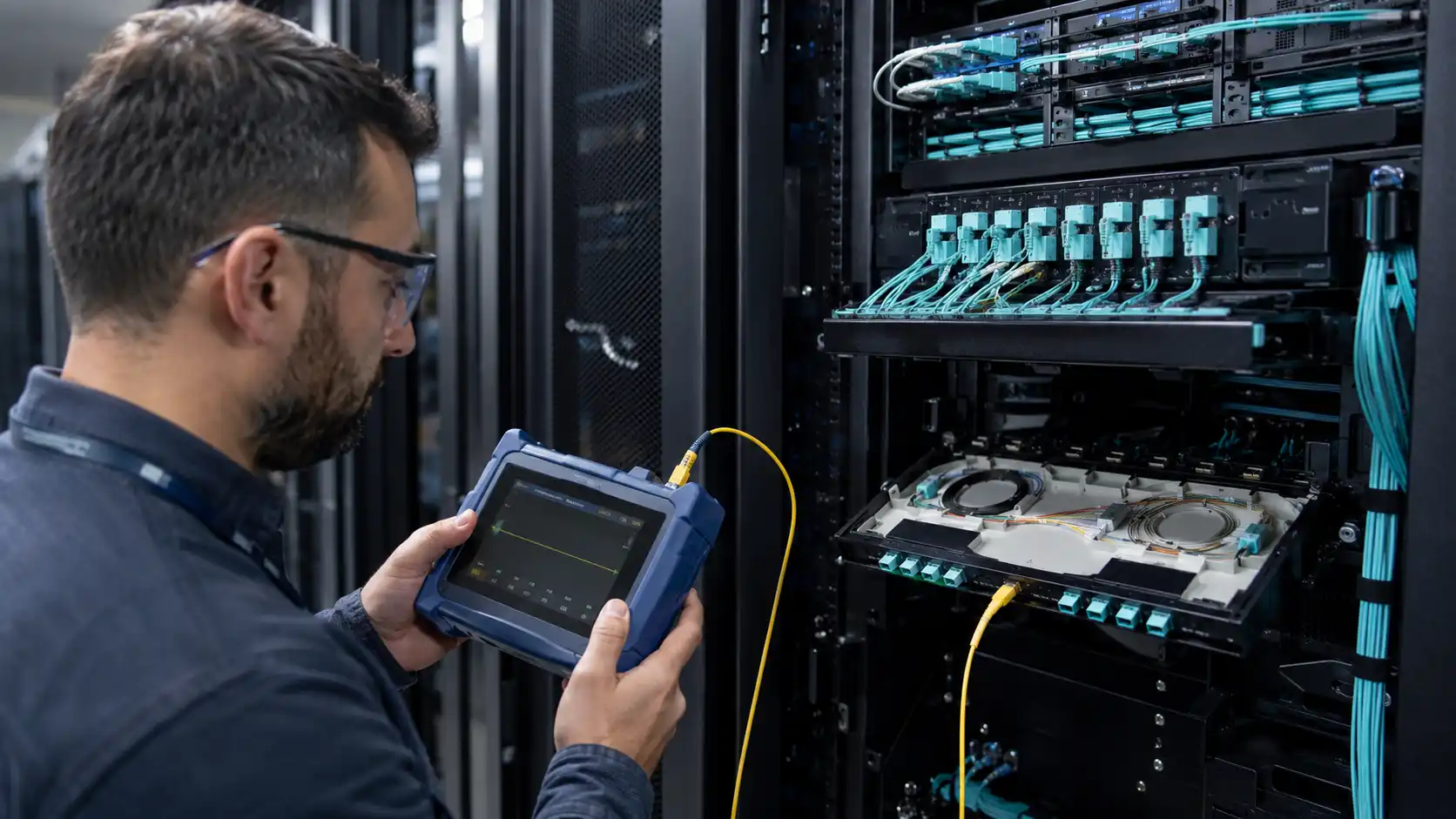
The 1000BASE-LX SFP is a 1 Gigabit Ethernet optical transceiver built mainly for single-mode fiber. It transmits at 1310 nm, and the IEEE standard specifies it for links up to 5 km on single-mode fiber, while most vendors sell an extended "LX/LH" version rated to 10 km. It can also run over multimode fiber, but only at shorter distances and usually with a mode conditioning patch cable, so multimode should be treated as a conditional case rather than the default design.
Engineers reach for 1000BASE-LX when they need a dependable 1G link across buildings, campuses, and access networks without moving the whole network to 10G. This guide covers the reach you can realistically expect, which fiber types actually work, how LX compares with 1000BASE-SX, the switch-compatibility checks that decide whether a module even comes up (port speed, vendor coding, EEPROM, firmware, DOM), and how to troubleshoot a link that stays down.

1000BASE-LX SFP Quick Facts
| Attribute | 1000BASE-LX SFP |
|---|---|
| Standard | IEEE 802.3z (1000BASE-LX) |
| Data rate | 1 Gbps (Gigabit Ethernet) |
| Wavelength | 1310 nm |
| Primary fiber | Single-mode (OS1/OS2). Multimode only with a mode conditioning patch cable. |
| Reach | 5 km on single-mode per the standard; 10 km on the common LX/LH variant. |
| Connector | Duplex LC |
| Form factor | SFP, hot-swappable |
| Monitoring | DOM/DDM on most models (verify on the datasheet) |
| Best for | Campus backbone, building-to-building links, access and aggregation uplinks |
What Is a 1000BASE-LX SFP?
A 1000BASE-LX SFP is a small form-factor pluggable optical module for 1 Gigabit Ethernet over fiber. The name breaks down into three parts: 1000BASE is Gigabit Ethernet at 1 Gbps, LX means long wavelength (1310 nm), and SFP is the compact, hot-swappable transceiver format used in switches, routers, and media converters.
In operation it is simple. The switch sends a 1 Gbps electrical signal into the SFP cage; the module converts that into a 1310 nm optical signal; the light travels down the fiber; and the receiving module turns it back into an electrical Ethernet signal. This happens in both directions at once, giving full-duplex Gigabit Ethernet. The 1310 nm wavelength is what makes LX suited to longer single-mode spans, where shorter-wavelength 850 nm optics such as 1000BASE-SX SFP are not. A standard 1000BASE-LX/LH SFP module uses a duplex LC connector and, on most models, supports digital diagnostics.
Field note: the most common reason an LX link fails on site is rarely a wavelength mismatch. It is usually reversed TX/RX strands, vendor coding the switch refuses, or a dirty LC end-face. Keep those three at the top of your checklist before you suspect the module itself.
1000BASE-LX Distance: What 5 km and 10 km Actually Mean
The standard 5 km and the 10 km LX/LH variant
This is where a lot of confusion starts. The IEEE 802.3 standard defines 1000BASE-LX for up to 5 km over single-mode fiber and up to 550 m over multimode fiber (with a mode conditioning patch cord). In practice, almost every vendor ships an extended "LX/LH" version rated to 10 km on single-mode fiber, which is the 10 km number you see on datasheets and in product names. So when someone says "1000BASE-LX does 10 km," they are usually describing the LX/LH product, not the base standard. For procurement and link planning, treat 10 km as a vendor specification to confirm on the datasheet, not a guarantee built into the standard.
Use single-mode fiber for LX when the run is hundreds of meters to several kilometers, when you are crossing between buildings, when OS1 or OS2 is already installed, and when you may later upgrade the same path to higher-speed optics. For most 1G long-distance links, single-mode LX is the most predictable option.

Optical power budget: why 10 km is not "any" 10 km
A module rated for 10 km will only reach 10 km if the link stays inside its optical power budget. The budget is the difference between the module's minimum transmit power and its worst-case receive sensitivity. Everything in the path eats into it: fiber attenuation (roughly 0.4 dB/km for OS2 at 1310 nm, and noticeably more on older fiber), each mated connector pair (about 0.3 to 0.75 dB), and each splice (about 0.1 to 0.3 dB). A clean 1 km OS2 link with two connector pairs leaves plenty of margin. The same module on 9 km of aged fiber, through several patch panels with marginal connectors, can run out of budget and either fail to link or flap intermittently. The headline distance tells you the ceiling under ideal conditions; the loss budget tells you whether your specific link will close.
Real-world factors that reduce reach
Even within the rated distance, watch for dirty or damaged connectors, too many patch panels or splices, low-quality or aged fiber, tight bend radius, mismatched connector polish (mixing UPC and APC), the wrong fiber type, and receive power that is too low or too high (over-driving a short link can saturate the receiver). For any link you care about, measure optical power and link loss and read the DOM/DDM values rather than trusting the label on the cage.
Fiber Types: OS1/OS2 vs OM1–OM5
Single-mode fiber (OS1/OS2)
Single-mode is the right fiber for 1000BASE-LX. LX is designed for 9/125 µm single-mode fiber of the kind described in ITU-T G.652, optimized around the 1310 nm zero-dispersion region. In cabling terms you will see two grades: OS1, typically tight-buffered indoor fiber with higher attenuation (around 1 dB/km), and OS2, typically loose-tube outdoor/campus fiber with low attenuation (around 0.4 dB/km). For a building-to-building or campus LX link, OS2 is the modern choice and gives the most loss-budget headroom; OS1 is acceptable for shorter indoor runs. If you want a deeper comparison of OS1 and OS2 single-mode fiber, that distinction is worth understanding before you specify a long run.
Multimode fiber and mode conditioning
1000BASE-LX can operate over multimode fiber, but this is not its comfort zone. Multimode has a larger core, and the 1310 nm laser does not launch evenly into it, which creates differential mode delay and can cause modal dispersion, instability, or reduced reach. Over OM1 (62.5/125) and OM2 (50/125) you generally need a mode conditioning patch cable at the transmitter, and even then the reach is limited (550 m at most under the standard). Note that OM3, OM4, and OM5 are optimized for 850 nm short-wavelength optics (SX/SR), not 1310 nm LX, so a newer multimode plant does not make LX a better fit. If the plant is multimode and the distance is short, 1000BASE-SX is usually the simpler, cheaper answer.
Common mistake: plugging an LX module straight into multimode without a mode conditioning cord. The link often comes up, then shows high error counts or flaps under load because of the launch conditions. If you must run LX on legacy multimode, add the correct mode conditioning cable and validate the link before you put it into production.

1000BASE-LX vs 1000BASE-SX
Both are Gigabit Ethernet optical standards, but they target different fiber plants.
| Feature | 1000BASE-LX SFP | 1000BASE-SX SFP |
|---|---|---|
| Wavelength | 1310 nm | 850 nm |
| Main fiber type | Single-mode | Multimode |
| Typical reach | 5 km (standard), up to 10 km (LX/LH) on SMF | Up to 220–550 m on MMF, depending on OM grade |
| Best use case | Campus, building-to-building, access uplinks | Data centers, equipment rooms, short building links |
| Cost tendency | Often higher than SX | Often lower for short MMF links |
| Deployment risk | Needs fiber and coding checks | Simpler for short MMF environments |
Choose 1000BASE-LX when the link is long, single-mode fiber is available, and reach matters more than the lowest module price. Choose 1000BASE-SX when the run is short, multimode is already in place, and you want the most economical 1G link inside one building or data hall. Two errors recur in the field: putting SX on a link that is simply too long, and forcing LX onto a very short multimode run where SX would have worked without a mode conditioning cord. Never put LX on one end and SX on the other; the wavelengths do not match.
Where 1000BASE-LX Fits: Typical Use Cases
LX earns its place wherever you need 1G over more distance than copper or short-range multimode can handle:
- Campus backbone links connecting core, distribution, or separate network closets over hundreds of meters to several kilometers, where copper is not an option.
- Building-to-building connections for office parks, schools, hospitals, and warehouses over existing single-mode fiber, without media conversion or a 10G upgrade.
- Access and aggregation uplinks tying edge switches back to aggregation or core when 1G is enough for the site.
- Industrial and utility networks, where fiber's immunity to electromagnetic interference makes it the preferred choice for factory, transportation, and outdoor systems.
- Legacy network extension, keeping SFP-based switches and installed single-mode fiber useful where 1G already meets the application's needs.
Deployment example. Building A to Building B over 1.8 km of OS2 single-mode fiber, duplex LC, with 1000BASE-LX/LH SFPs at both ends. Before acceptance, the team read DOM receive power at each end and confirmed it sat inside the module's receive range with a few dB of margin, then checked that neither switch logged an unsupported-transceiver warning. Both checks passed, so the link went live with documented optical readings for later reference.
When 1000BASE-LX Is Not the Right Choice
Reconsider 1000BASE-LX when:
- The link is short and runs on multimode fiber.
- You need more than 1 Gbps of throughput.
- The distance exceeds the module's rated reach.
- You have a single fiber strand and need bidirectional transmission.
- The switch will not accept the module's coding.
- You are building a new high-bandwidth backbone where 10G or faster is the better long-term fit.
For runs beyond 10 km, look at extended-reach optics such as 1000BASE-EX (about 40 km) or 1000BASE-ZX (about 80 km); these distances are vendor-defined, so confirm the datasheet. For a single-fiber path, use a BiDi (1000BASE-BX) SFP. For higher bandwidth, move to 10GBASE-LR or another 10G SFP+ option.
1000BASE-LX SFP Compatibility: The Checks That Matter
Compatibility is the most common practical headache with LX modules. Two optics can share the same standard and still behave differently in a specific switch. Compatibility here is not only about the optical standard; it also covers switch coding, port-speed support, firmware behavior, DOM visibility, and optical power range.
Switch port and speed support
Confirm the port actually supports 1000BASE-X. Some cages are SFP-only, some are dual-rate SFP/SFP+, and some higher-speed ports do not accept every 1G module. A dual-rate SFP+ port often takes a 1G SFP, but not always, so check the switch's documentation before you commit.
Vendor coding, EEPROM, and firmware
Switches read a module's EEPROM, including the identification and diagnostic fields defined by SFF-8472. A third-party optic may be rejected or flagged with an "unsupported transceiver" warning unless it is coded for that platform. This does not always mean the module is electrically or optically incompatible, but it affects deployment. Behavior varies by vendor: Cisco uses part numbers like GLC-LX-SM and GLC-LH-SMD (and Meraki uses MA-SFP-1GB-LX10), and may need a command to allow service-unsupported transceivers; Juniper, HPE Aruba, Arista, Dell, MikroTik, and Ubiquiti each handle coding and warnings differently. For a large rollout, test the exact module code in the exact switch model and firmware version before you standardize, and where you need guaranteed acceptance on a given platform, source a coded part such as a Cisco-coded GLC-LH-SM module.
Matching both ends
The optics at each end should agree on the things that matter: same Ethernet standard, same wavelength, compatible reach rating, compatible fiber type, duplex LC connector, and a similar optical power range. Mixing LX and SX across one link will not work.
DOM/DDM diagnostics
Where it is supported, digital optical monitoring (DOM/DDM) lets you read transmit power, receive power, temperature, supply voltage, and laser bias current straight from the module. That is the fastest way to find a weak signal, a dirty connector, or a marginal link. Not every module or switch exposes the same fields, so confirm support if diagnostics matter to your operation.

Troubleshooting a 1000BASE-LX Link
Work the link in this order, which mirrors how the problem is usually found on site:
- Check the port link light and the configured speed and duplex.
- Verify TX/RX polarity by swapping the two fiber strands.
- Clean both LC end-faces and re-seat the connectors.
- Read DOM receive power at each end and compare it against the module's sensitivity.
- Check the switch log for unsupported-transceiver or err-disable messages.
- Swap in a known-good module to isolate a module fault from a link fault.
Mapped to specific symptoms:
- Module not recognized: usually vendor coding, a firmware restriction, the wrong port type, or a defective module. Check the compatibility matrix and the system log, and try a known-good module in the same port.
- Recognized but link down: reversed TX/RX strands, the wrong module at the far end, LX mistakenly paired with SX, a dirty or broken connector, the wrong fiber type, or a shut-down remote port.
- Link unstable or flapping: marginal optical power, poor connector quality, excessive link loss, a bend-radius problem, multimode used without proper mode conditioning, or temperature and vibration in a harsh site.
- Receive power too low: a long or lossy path, a dirty connector, a damaged patch cord, or too many connector pairs. Clean, replace suspect cords, measure link loss, and reduce unnecessary patch points.
- LX over multimode unreliable: modal dispersion or an incorrect launch condition. Move to single-mode if you can, use SX for short multimode, or add the correct mode conditioning cable and validate first.
How to Choose the Right 1000BASE-LX SFP
Do not pick on price alone. Match the module to the whole deployment:
- Switch compatibility: will it work with your switch brand and firmware, and do you need a coded part?
- Fiber type: single-mode (the right choice) or multimode (only with mode conditioning)?
- Distance: is 5 to 10 km enough, or do you need extended reach?
- Connector: duplex LC that matches your patch cords?
- DOM/DDM: do you need optical monitoring for maintenance?
- Temperature rating: normal indoor use, or an industrial site that needs an extended-temperature module?
- Vendor support: can the supplier provide coding, testing, and replacements?
- Deployment scale: a single replacement, or a standard you will repeat across many sites?
For a one-off replacement, matching the existing module's specification is usually enough. For an expansion or a multi-site build, define a standard optics list and test each module in the target switch platform and firmware first.
Quick Selection Guide
| Scenario | Better choice |
|---|---|
| Short multimode link inside a data center | 1000BASE-SX |
| Single-mode link up to 5–10 km | 1000BASE-LX / LX-LH |
| Link beyond 10 km | 1000BASE-EX or 1000BASE-ZX |
| Single-fiber connection | 1000BASE-BX / BiDi SFP |
| Need more than 1 Gbps | 10G SFP+ (SR/LR) or higher |
| Existing 1G SFP switch with single-mode fiber | 1000BASE-LX / LX-LH |
| Legacy multimode that must run LX | LX with mode conditioning, after testing |
Standards and What to Verify
Exact reach, optical power range, DOM support, and operating temperature are properties of the specific module, not of the label, so confirm them against the module datasheet and the switch's compatibility matrix before you buy or deploy. The relevant references are straightforward: 1000BASE-LX is defined in IEEE 802.3; transceiver identification and digital diagnostics follow SFF-8472; single-mode fiber for 1310 nm transmission follows ITU-T G.652; and the OS1/OS2 and OM cabling grades come from structured-cabling standards such as ISO/IEC 11801 and TIA-568.
FAQ About 1000BASE-LX SFP
Q: Is 1000BASE-LX single-mode or multimode?
A: It is primarily a single-mode standard at 1310 nm. It can run over multimode at shorter distances with a mode conditioning patch cable, but single-mode is the intended and most predictable choice.
Q: What is the maximum distance of 1000BASE-LX SFP?
A: The IEEE 802.3 standard specifies up to 5 km on single-mode fiber (and 550 m on multimode with mode conditioning). The common LX/LH variant is rated to 10 km on single-mode. Actual reach depends on fiber quality, connector and splice loss, and the optical power budget.
Q: What wavelength does 1000BASE-LX use?
A: 1310 nm, which suits longer-reach transmission over single-mode fiber.
Q: What cable and connector does 1000BASE-LX use?
A: Most LX modules use a duplex LC connector over 9/125 µm single-mode fiber (OS1 or OS2). On multimode, a mode conditioning patch cable is typically required.
Q: Do I need a mode conditioning cable for 1000BASE-LX?
A: Only when you run LX over multimode fiber. On single-mode fiber it is not needed. On multimode, the mode conditioning cord helps the 1310 nm laser launch correctly and reduces modal dispersion.
Q: Is 1000BASE-LX the same as 1000BASE-LH?
A: Many catalogs market LX and LH together because both run long-reach Gigabit Ethernet over single-mode fiber, and LX/LH parts are commonly rated to 10 km. Vendor naming varies, so check the datasheet for exact distance, wavelength, optical power, and compatibility.
Q: Can I use 1000BASE-LX SFP in an SFP+ port?
A: Sometimes. Some SFP+ ports accept 1G SFP modules and some do not. Check the switch documentation and compatibility matrix first.
Q: Can I mix different brands of 1000BASE-LX SFP?
A: Often yes, as long as both modules follow the same optical standard and power range. Switch-side vendor coding can still affect whether a module is accepted, so test critical links.
Q: Why is my 1000BASE-LX link not coming up?
A: The usual causes are reversed TX/RX strands, a dirty LC end-face, LX accidentally paired with SX at the far end, the wrong fiber type, or coding the switch will not accept. Work through the troubleshooting order above before replacing the module.
Q: Should I choose 1000BASE-LX or upgrade to 10G?
A: Stay with 1000BASE-LX if your traffic sits comfortably within 1 Gbps and your switches only have SFP cages. Move to a 10G option such as a 10GBASE-LR SFP+ if the link is a bottleneck, carries many users or storage traffic, or is part of a new backbone.
Q: Is 1000BASE-LX still worth using?
A: Yes, when 1 Gbps is enough and you need long-distance single-mode connectivity. It remains a sound choice for campus links, access networks, industrial Ethernet, and existing 1G infrastructure.
Bottom Line
Choose a 1000BASE-LX/LH SFP when the path is single-mode, 1 Gbps is enough, and the distance falls within roughly 5 to 10 km with a clean loss budget. Use SX for short multimode, EX or ZX beyond 10 km, BiDi for a single fiber strand, and 10G optics when 1G has become the bottleneck. The decision rarely comes down to the label on the cage. It comes down to four things you can verify: the fiber type, the measured loss budget, the switch's coding and firmware behavior, and the receive power you read on the live link.